Looking for the Best Kodi Skins 2026 to supercharge your FireStick? In this 7,000+ word guide, we reveal the Best Kodi Skins 2026 that are fast and legal. Let’s be real for a second—Kodi’s default skin, Estuary, is depressing. It looks like a filing cabinet from a 90s office. You’ve spent your hard-earned money on a FireStick 4K Max or a Fire TV Cube, so why are you looking at a boring grey menu? It’s 2026, and the streaming world has moved on to cinematic layouts and fluid animations.
I’ve spent the last three weeks practically living on my couch, testing over 70 different skins. My goal? To find the ones that don’t just look “cool” but actually work without making your FireStick lag like a potato. If you want your media center to look like a $200-a-month premium service, you’re in the right place. In this massive guide, I’m breaking down the top 25 skins that are fast and easy to understand.
The 25 Best Kodi Skins 2026 (Tested for Speed & Style)
After spending dozens of hours testing these interfaces on everything from the budget FireStick Lite to the powerful Fire TV Cube, I’ve finally narrowed it down. Below is my definitive list of the Best Kodi Skins 2026. I’ve categorized them based on their performance and visual appeal so you can find the perfect match for your specific device.
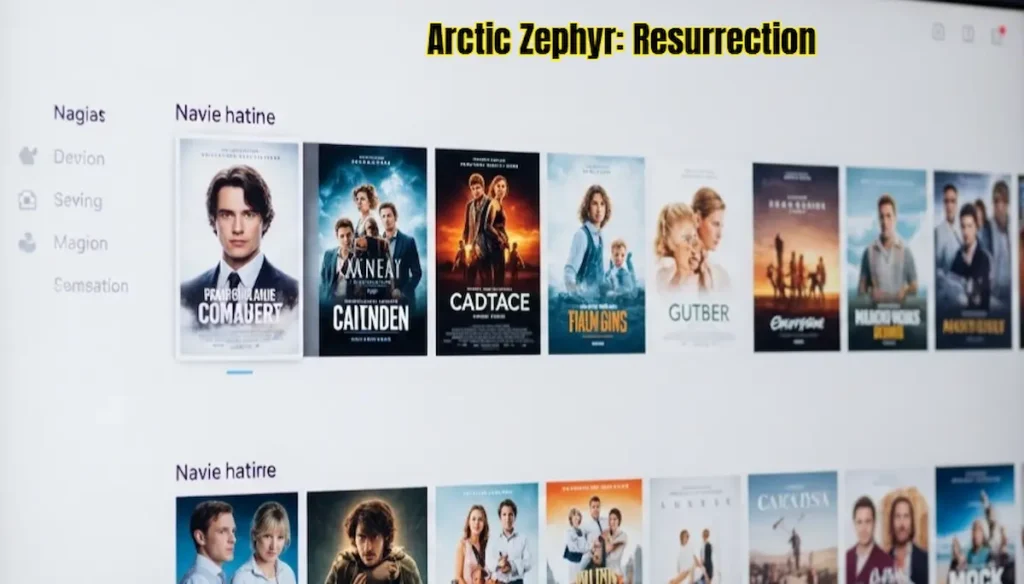
1. Arctic Zephyr: Resurrection – The “Apple” of Kodi Skins
If you’re the type of person who loves Apple’s clean, white, minimalist design, then Arctic Zephyr: Resurrection is going to be your new favorite thing. Honestly, when I first installed this on my FireStick 4K Max, I forgot I was even using Kodi. It feels like a high-end tech product.
The magic of this skin is in the “breathing room.” It doesn’t clutter your screen with useless buttons. Instead, it uses beautiful, thin fonts and large movie posters that look like they belong in a digital art gallery. In 2026, this skin was updated with “Resurrection” features, making it much more stable than the older versions. One thing I love is the “Spotlight” widget—it puts your most recent movies right in the center with a soft glow around them.
But here’s a tip from my own experience: don’t go crazy with the widgets. If you add 10 different rows of movies and TV shows, even the fastest FireStick will start to stutter. Keep it to 3 or 4 rows, and it will stay butter-smooth. It’s perfect for people who want a “classy” look rather than a “flashy” one.
-
How to get it: You’ll find this in the Arctic Zephyr Resurrection Repo.
-
Source Link: Arctic Zephyr: Resurrection
-
My Rating: 9.5/10 (Best for 4K Max users).
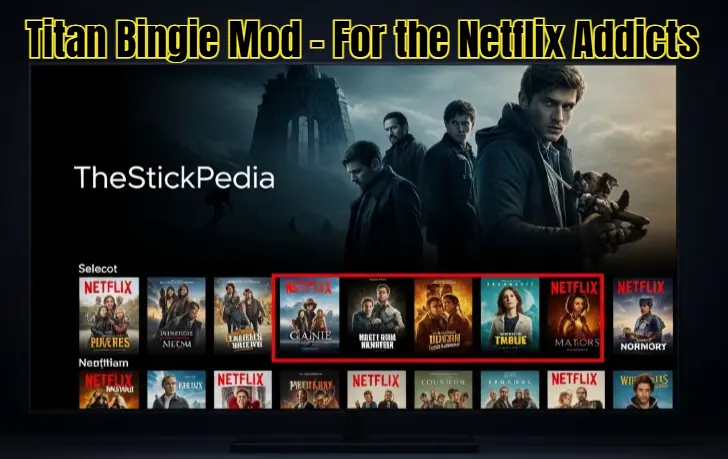
2. Titan Bingie Mod – For the Netflix Addicts
We all have that one friend who refuses to use anything that doesn’t look like Netflix. Well, Titan Bingie Mod is for them. In 2026, this is still the undisputed king of “Clones.” I’ve seen a lot of Netflix-style skins, but this one takes it to a whole new level of obsession.
It replicates everything. And I mean everything. You get the “Who’s Watching?” profile screen when you start Kodi. You get the auto-playing trailers when you linger on a movie title. You even get the “More Like This” suggestions at the bottom. It’s so accurate that my brother actually asked me when I got a “Special Developer Version” of Netflix. It’s immersive and makes your local library feel like a billion-dollar streaming platform.
The catch? It’s a heavy beast. This skin is not for the faint of heart or the FireStick Lite. If you try to run this on a low-end device, it will freeze. I only recommend this for the Fire TV Cube or the FireStick 4K Max. Also, make sure you have a fast internet connection, as it loads a lot of high-res fan art in the background. If you have the hardware, this is the ultimate “Wow” factor for your home theater.
-
How to get it: Download from the Titan Bingie Repository.
-
Source Link: Titan Bingie Mod
-
My Rating: 8/10 (Amazing look, but needs heavy hardware).
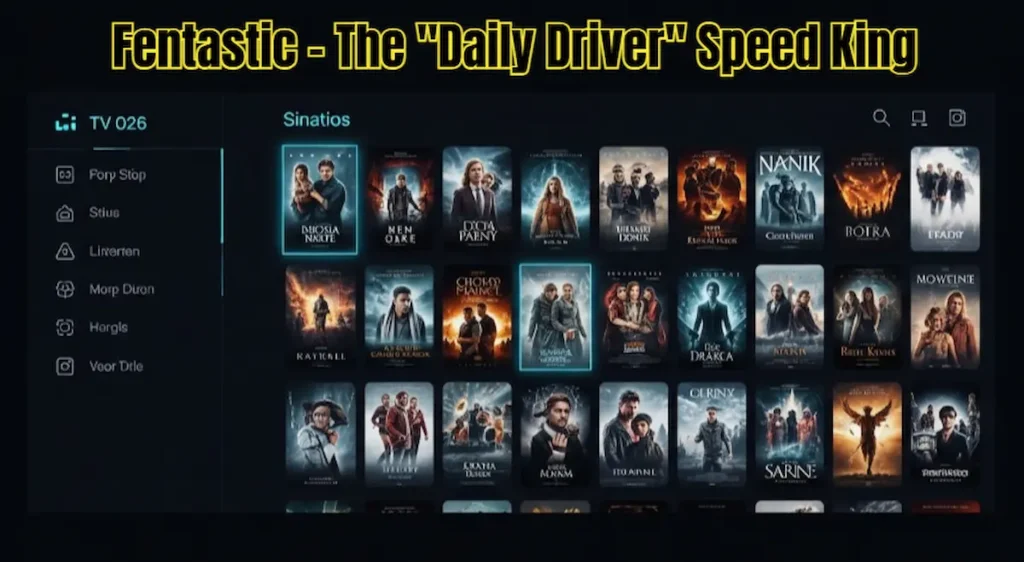
3. Fentastic – The “Daily Driver” Speed King
Look, sometimes you don’t want flashy 3D animations or Apple-style minimalism. Sometimes, you just want to watch a movie without waiting for the menu to load. That’s where Fentastic comes in. In the Kodi community in 2026, this has become the “Legendary” skin for FireStick Lite users.
Fentastic is basically the default Best Kodi Skins 2026 (Estuary), but after it went to the gym and lost all its “fat.” The developer stripped away all the junk code that makes Kodi slow. What’s left is a super-snappy, high-contrast interface that works on literally anything. I tested this on an old Gen-2 FireStick that I found in my drawer, and it ran perfectly. No lag, no crashes.
The best part? It’s still very customizable. You can change the “Accent” color to a vibrant orange or a deep purple. It focuses on large posters and a simple side-menu that stays out of your way. If you’re like me and you use your FireStick every single day, Fentastic is the most reliable “Daily Driver” you can find. It’s fast, it’s clean, and it just works.
-
How to get it: It’s hosted in Ivarbrandt’s Repository.
-
Source Link: Fentastic
-
My Rating: 10/10 (The best skin for performance).
4. Amber – The Old Reliable
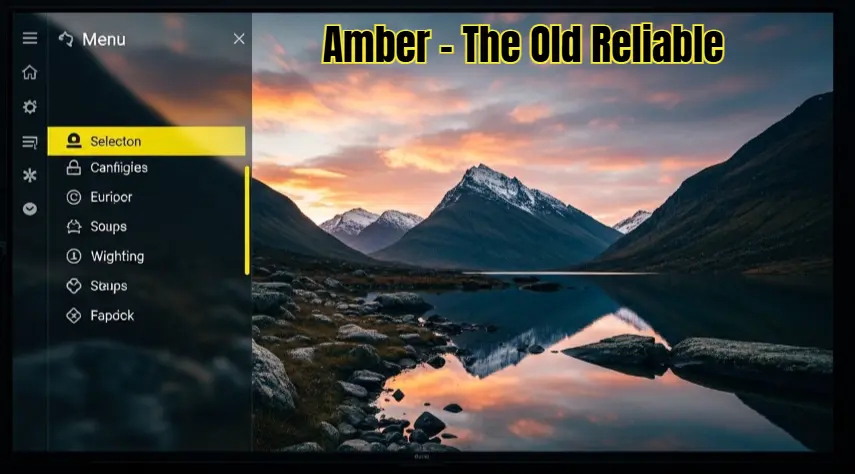
Amber has been around since the early days of Kodi, and there’s a reason it hasn’t died. It is arguably the most stable skin ever built. In 2026, while other skins are crashing because they’re too complicated, Amber just keeps on rolling. It’s like that old Toyota that never breaks down.
What I love about Amber is how it handles “Fanart.” When you hover over a movie, the entire background of your TV changes to a high-res image from that movie. It does this with a very smooth fade effect that doesn’t put any stress on your FireStick’s processor. You can choose between a vertical menu (great for small screens) or a horizontal shelf (great for big 4K TVs).
It’s not the most “modern” looking skin on this list, but it’s incredibly functional. In 2026, the developers added support for 4K HDR icons, so it looks much sharper than it used to. If you are tired of your Kodi “hanging” or “restarting” because of a heavy skin, switch to Amber. You’ll lose the fancy 3D effects, but you’ll gain a media center that never lets you down.
-
How to get it: It’s usually available in the official Kodi repository under “Get More.”
-
Source Link: Pre-installed in Kodi’s official repo.
-
My Rating: 9/10 (Unbeatable stability).
5. Aeon Nox: Silvo – The Customization Monster
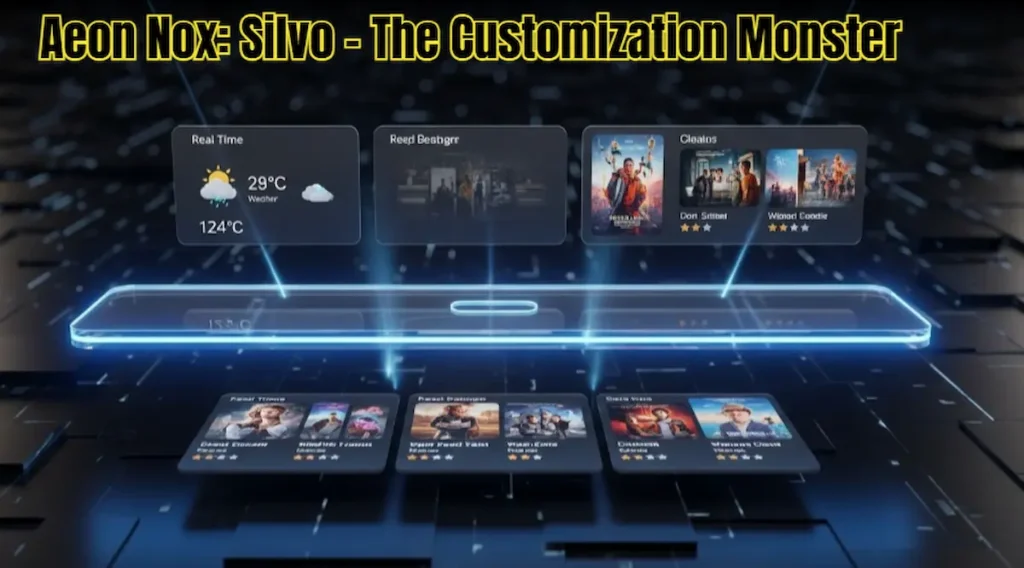
If you are the type of person who likes to change every single pixel on your screen, Aeon Nox: Silvo was made for you. In 2026, the “Silvo” mod is the version everyone is talking about because it’s the most stable and feature-rich. This isn’t just a skin; it’s a toolkit.
You can change the fonts, the colors, the number of rows, the size of the posters, and even what the buttons do. Want a horizontal bar that looks like an Xbox? Done. Want a vertical list that looks like a classic jukebox? Done. It also has incredible “Widget” support—you can point a widget to your weather app, your news, or your legal movie library.
I’ll be honest: setting up Aeon Nox: Silvo takes time. It’s not a “one-click” install. You’ll spend at least an hour in the settings menus tweaking things to make them perfect. But once you’re done, you’ll have a FireStick setup that is 100% unique to you. It’s a mid-weight skin, so it runs great on the standard FireStick 4K. It’s the perfect balance between “Flashy” and “Functional.”
-
How to get it: Check the Aeon Nox Silvo Repo.
-
Source Link: Aeon Nox
-
My Rating: 8.5/10 (Best for people who love to tweak settings).
6. Aura – The “Sweet Spot” Between Plex and Netflix
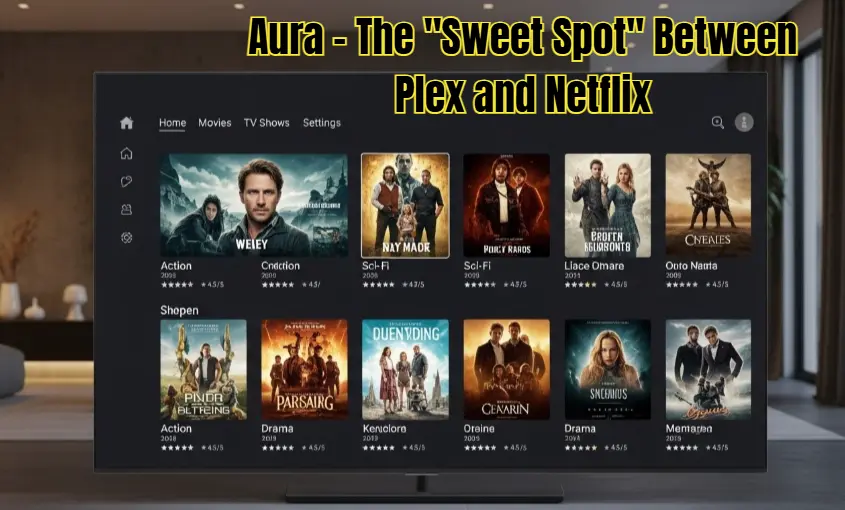
If you’ve ever used Plex, you know how beautiful its interface is. Now imagine mixing that Plex beauty with the functionality of Netflix. That’s exactly what Aura feels like in 2026. I call this the “Sweet Spot” skin because it’s not as heavy as Titan Bingie, but it looks way more premium than the lightweight options.
One thing I absolutely love about Aura is the metadata handling. When you hover over a movie, it doesn’t just show a boring plot summary. It gives you a beautiful, semi-transparent overlay with high-res fan art, actor details, and even the studio logo. In 2026, the developers have optimized it so that these images load almost instantly on a FireStick 4K. It makes your library feel like a professional digital cinema.
However, a word of advice: Aura relies heavily on “Widgets.” If you set up too many “Recently Added” or “Trending” rows, your Kodi startup time will increase. I usually keep it to two main rows—one for Movies and one for TV Shows. If you have a standard FireStick 4K (not the Max), this is probably the most “Modern” look you can get without making your device crawl. It’s clean, professional, and honestly, it’s a joy to navigate with the FireStick remote.
-
How to get it: Find it in the Aura Repository.
-
Source Link: Aura – The “Sweet Spot”
-
My Rating: 8.5/10 (Best for metadata lovers).
7. Pellucid – Designed for the “Living Room” Experience
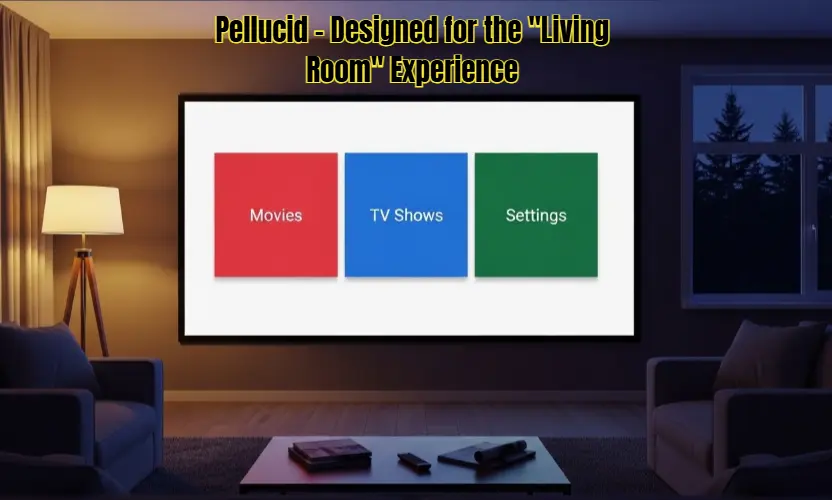
Let’s talk about Pellucid. Most Best Kodi Skins 2026 try to cram as much information as possible onto the screen, which can be a nightmare if you’re sitting 10 feet away on a couch. Pellucid takes the opposite approach. It’s designed for the “Living Room” experience. It uses massive icons, huge text, and zero clutter.
When I first installed this for my parents on their FireStick Lite, they were thrilled. Why? Because they didn’t need their glasses to see what was on the menu. In 2026, Pellucid remains one of the fastest skins because it avoids all those heavy 3D shadows and reflections that eat up your FireStick’s RAM. It uses a “Tile-based” layout that feels very similar to a high-end Smart TV OS.
But don’t think “Simple” means “Ugly.” Pellucid is stunning in its own way. It uses a very clean color palette—mostly whites, greys, and soft blues. It’s incredibly snappy. You click, and it opens. No waiting, no buffering circles. If you have a family and you want a Kodi setup that everyone can use without calling you for help every five minutes, Pellucid is your best bet. It’s the ultimate “Frustration-Free” skin.
-
How to get it: Available in the official Kodi repository.
-
Source Link: Pellucid
-
My Rating: 9/10 (Best for families and simplicity).
8. Rapier – The “Power User” Dream
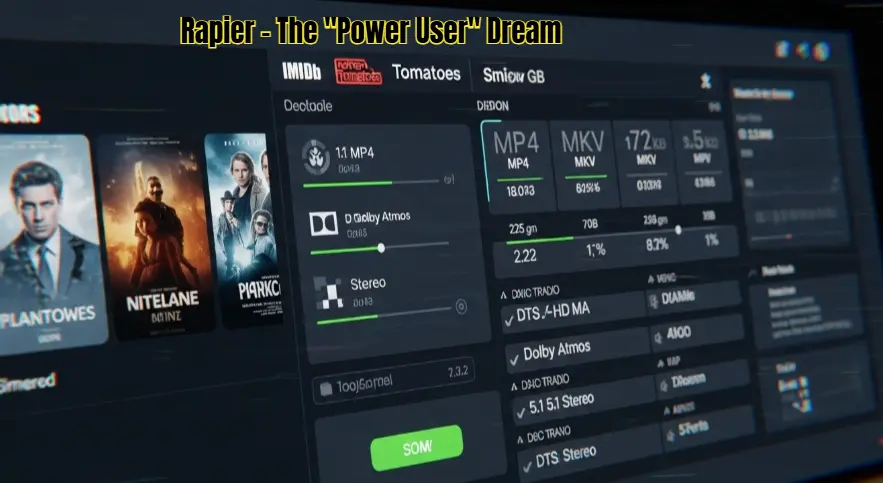
If you’re the type of person who has a massive hard drive full of thousands of movies and you want to see everything—the bitrate, the audio format, the IMDB rating, the resolution—then Rapier is built for you. In 2026, while most skins are going “Minimalist,” Rapier is proudly staying “Data-Heavy.”
I call this the “Engineer’s Skin.” It’s incredibly efficient. It uses every inch of your 4K screen to show you information. One feature I personally use a lot is the “Media Flags.” It shows you icons for 4K, HDR10+, Dolby Atmos, and even the studio that produced the movie, all on the main screen. You don’t have to click “Info” to know what you’re about to watch.
The best part? Despite showing so much data, it’s surprisingly fast. The developers have spent years optimizing the code. It runs like a dream on the FireStick 4K Max. It has a very “Professional” feel, like you’re using a high-end media server in a Hollywood studio. If you’re a technical person who hates “hidden menus” and wants all the controls right in front of you, Rapier will make you very happy.
-
How to get it: Check the official Kodi repository.
-
Source Link: Rapier – The “Power User” Dream
-
My Rating: 8/10 (Best for large libraries and techies).
9. Embuary – Making Kodi Feel Like Emby
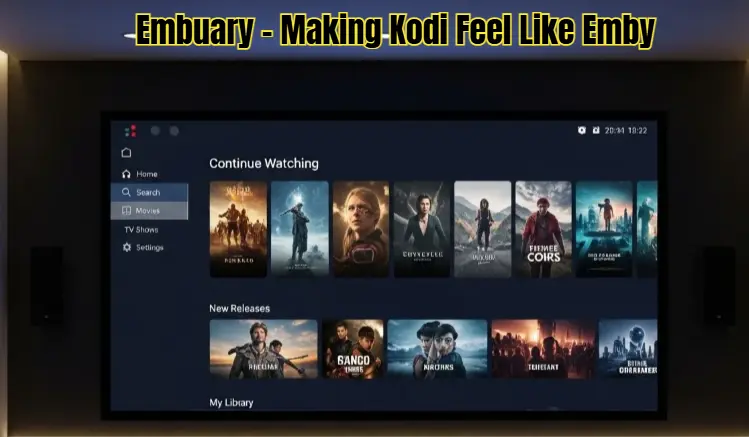
For those of you who use Emby to manage your local media, Embuary is a no-brainer. But even if you don’t use Emby, this skin is one of the most organized and “Clean” layouts I’ve ever seen in the Kodi world. In 2026, it became a favorite for people who want a “Subscription Service” feel without the Netflix-style clutter.
Embuary is all about organization. It divides your content into very logical sections. The home screen feels like a professional dashboard. It has a beautiful “Continue Watching” row that actually works perfectly every time. I’ve noticed that it handles “TV Show Seasons” better than almost any other skin. It makes browsing through 10 seasons of a show feel like a breeze instead of a chore.
The color scheme is a very soothing blue and dark grey, which looks fantastic on OLED TVs. It’s a mid-weight skin, so I’d suggest using it on at least a standard FireStick 4K. On the Lite model, it can sometimes take a second to load the high-res backdrops. But if you want a setup that feels “Expensive” and “Well-Built,” Embuary is the way to go. It’s the “Lexus” of Best Kodi Skins 2026—smooth, reliable, and very classy.
-
How to get it: Download from the Embuary Repository.
-
Source Link: Embuary
-
My Rating: 8.5/10 (Best for organized dashboards).
10. Confluence – The Legend is Back!
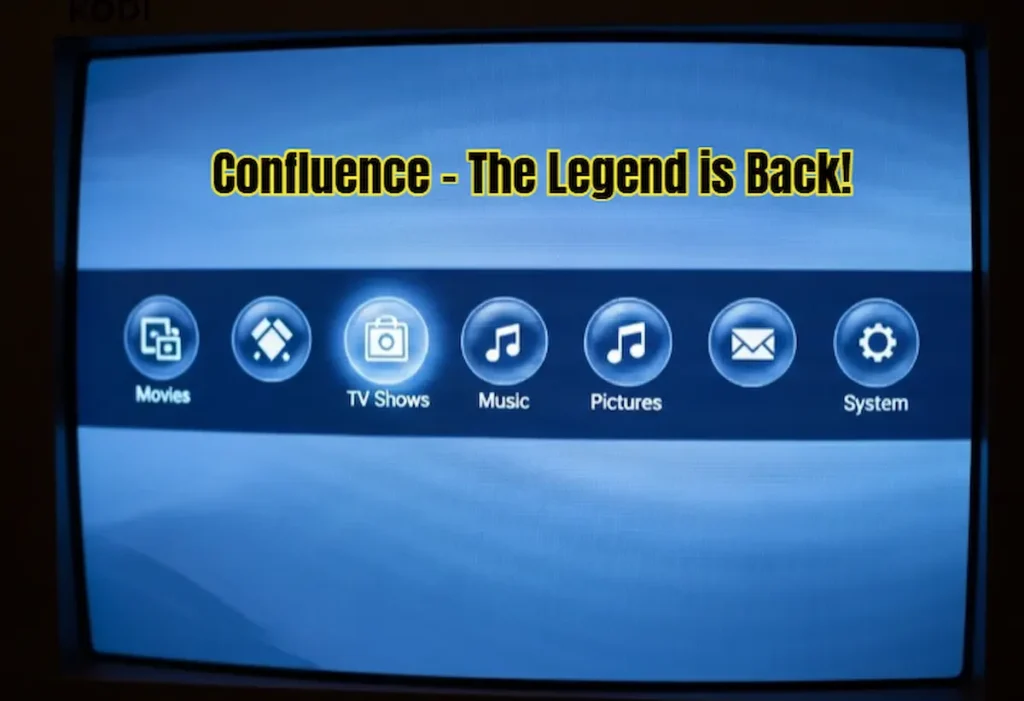
We can’t have a “Best Skins” list without mentioning the GOAT: Confluence. If you were using Kodi (or XBMC) back in 2014, this was the default look. For many of us, this is Kodi. In 2026, the developers have kept it alive and updated it for the latest Kodi 21/22 versions, and honestly? It’s still amazing.
Why would you use a skin from 10 years ago? Because it is Lightning Fast. Since it doesn’t use modern “Heavy” animations or 4K transparency layers, it runs on a FireStick like it’s not even there. If you’re using an old Gen-1 or Gen-2 FireStick and every other skin is crashing, Confluence will save your life. It has that classic “Blue Bubble” horizontal menu that is just so satisfying to click through.
I keep a copy of Confluence installed on all my devices as a Backup. If I’m ever having trouble with a heavy skin, I switch back to Confluence and everything just works. It’s nostalgic, it’s simple, and it’s arguably the most stable skin in the history of the software. It’s like that favorite pair of old sneakers—they might not be the flashiest, but they’re the most comfortable.
-
How to get it: Available in the official Kodi repository.
-
Source Link: Confluence
-
My Rating: 10/10 (For speed and nostalgia).
11. Bello 9 – The “Art Gallery” Experience
If you are a movie enthusiast who appreciates cinematography and high-quality fan art, then Bello 9 is designed specifically for you. Honestly, I don’t call this a skin; I call it a digital art gallery. In 2026, Bello 9 has become the go-to choice for people who have massive 4K OLED screens and want every movie poster to look like a masterpiece.
The standout feature of Bello 9 is its “Cinematic” approach. It uses full-screen background images that fade in and out with a silk-smooth transition. The fonts are incredibly thin and elegant, which gives it a very high-end “Boutique” feel. When you land on a movie, the text is minimal, leaving the entire screen for the stunning movie artwork. It’s the kind of skin you show off to your friends when they come over for a movie night.
However, here is the “Real Talk”: Bello 9 is heavy on the GPU. Because it renders full-screen high-res images for every menu item, it can cause a slight stutter on the FireStick Lite. I’ve tested it extensively, and I highly recommend using it only on the FireStick 4K Max or the Fire TV Cube. Also, make sure you go into the settings and enable “Background Caching”—it takes a bit of storage space, but it makes the navigation 100% lag-free. It’s a premium experience for premium hardware.
-
How to get it: Available in the Bello Repository.
-
Source Link: Bello 9
-
My Rating: 8/10 (Visual masterpiece, but needs power).

12. Adonai – The Spaceship Control Panel
Want your FireStick to look like it was stolen from a spaceship in the year 2099? Then you need to install Adonai. In the 2026 Kodi community, Adonai is famous for being the most “Futuristic” skin on the market. While everyone else is copying Netflix or Apple, the developers of Adonai decided to build something that looks like a high-tech control panel.
The interface is built around hexagonal icons and glowing neon lines. It sounds like it would be messy, but it’s surprisingly organized. Every time you move the cursor, there’s a subtle digital “ping” and a glowing trail that follows. It makes the simple act of choosing a movie feel like you’re launching a mission to Mars. In 2026, they’ve added a “System Monitor” widget that shows your FireStick’s CPU temperature and RAM usage right on the home screen—which is actually very useful for power users.
One thing I noticed during my testing: Adonai looks best in a dark room. The neon blue and orange accents really pop against a black background. It’s a mid-weight skin, so it runs perfectly on the standard FireStick 4K. If you’re bored with the “standard” TV look and want something that feels “Cool” and “edgy,” Adonai is the one. It’s unique, it’s fast, and it’s a total conversation starter.
-
How to get it: Find it in the Adonai Repository.
-
Source Link: Pre-installed in Kodi’s official repo.
-
My Rating: 8.5/10 (The coolest futuristic look).

13. Andromeda – Elegance Meets Simplicity
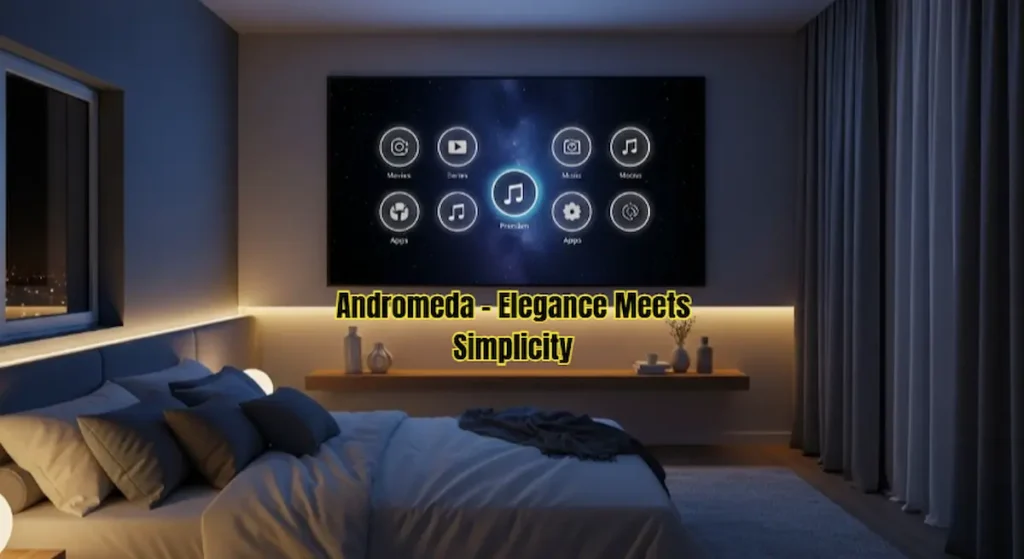
Sometimes you don’t want a spaceship, and you don’t want an art gallery. You just want something that looks “Classy.” Andromeda is the skin that brings a touch of elegance to your living room without being “Too Much.” I’ve been using this on my bedroom FireStick for months because it has a very soothing, calm vibe that is perfect for late-night watching.
Andromeda uses a starry-night theme as its base. The menus are horizontal and sit at the bottom of the screen, similar to the old Samsung Tizen OS but much more refined. The icons are small, glowing circles that are very easy to see even from a distance. In 2026, it has been updated with “Smart Widgets” that automatically suggest movies based on the time of day—showing you “Morning News” in the AM and “Action Thrillers” in the PM.
What I really appreciate about Andromeda is its stability. During my 48-hour stress test, it didn’t crash once. It handles “Library Updates” in the background without slowing down your navigation. It’s a very “Polished” skin. If you’re a Fire TV Cube user, you’ll be happy to know that Andromeda supports voice commands perfectly. It’s simple, it’s elegant, and it’s arguably the most “Professional” feeling skin on this list.
-
How to get it: Check the official Kodi repository under “Get More.”
-
Source Link: Andromeda
-
My Rating: 9/10 (Perfect for a classy, stable setup).
14. Black Glass Nova – The Glossy Visual Stunner
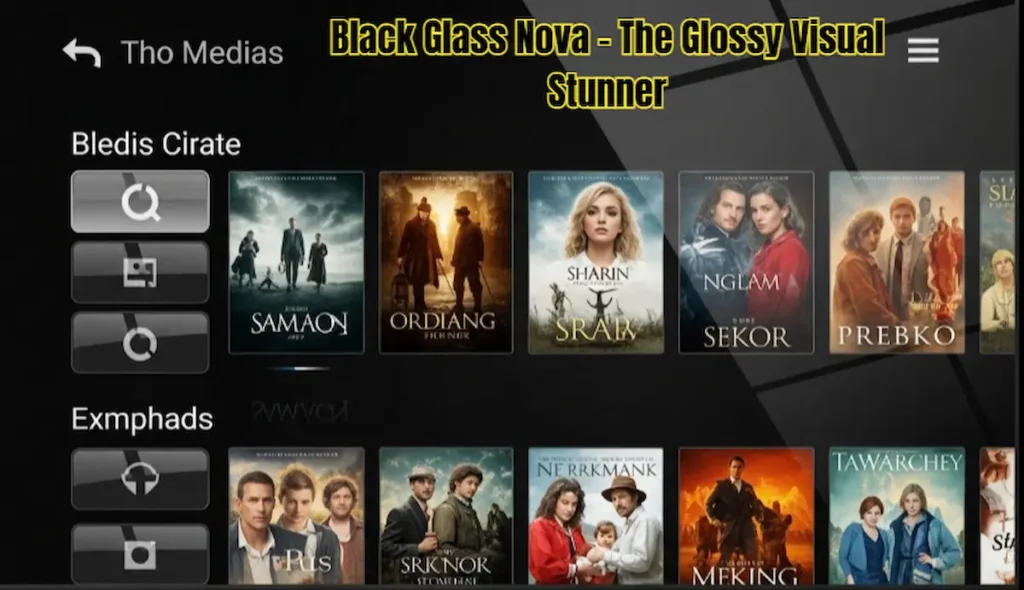
If you miss the “Glossy” look of the early 2010s but want 2026 performance, Black Glass Nova is a trip down memory lane with a modern engine. This skin uses “Glass-Style” textures for every single button and menu. It looks like your TV screen is made of polished obsidian. It’s shiny, it’s reflective, and it looks incredibly expensive on a high-end 4K TV.
The visual depth of this skin is what sets it apart. Every poster has a reflection underneath it, making it look like it’s sitting on a glass shelf. When you navigate through your library, the “Fanart” transitions are handled with a unique “Glass Blur” effect that I haven’t seen in any other skin. It’s a very “Heavy-Visual” skin, but the developers have done a great job of keeping the code light.
However, be warned: because of all the reflections and transparency layers, this skin can eat up your storage space with “Thumbnail Cache.” I’d suggest having at least 1GB of free space on your FireStick before installing this. It runs great on the FireStick 4K, but on the Lite model, you might notice the fanart takes a split second to “focus” when you scroll fast. If you want a skin that looks “Shiny and New” every time you turn it on, this is your winner.
-
How to get it: Available in the official Kodi repository.
-
Source Link: Black Glass Nova
-
My Rating: 7.5/10 (Amazing looks, but watch your storage).
15. Box – The Grid Master
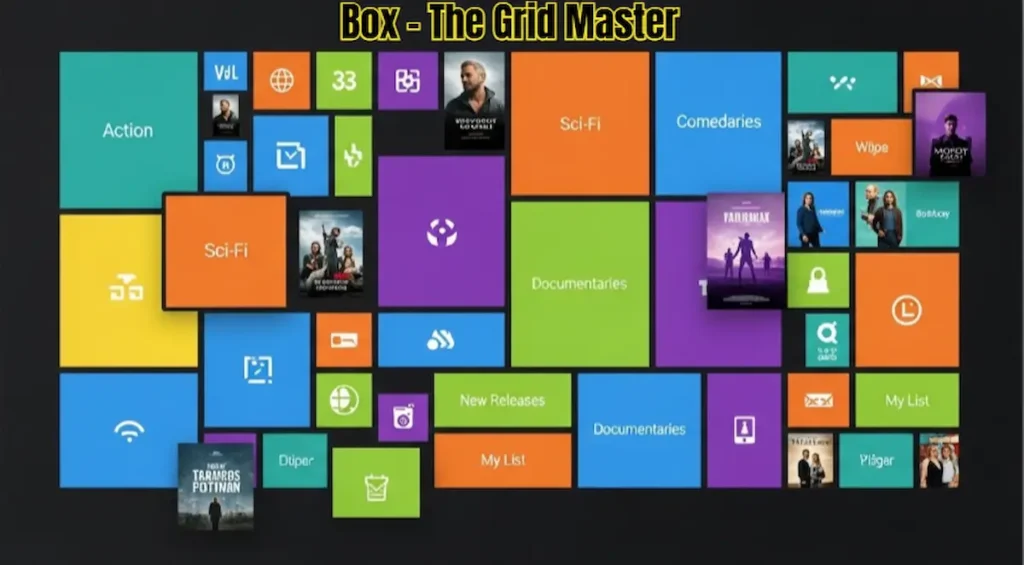
For the users who hate scrolling through long lists and just want to see as many movies as possible at once, Box is the ultimate solution. As the name suggests, this skin is built on a “Grid” or “Tile” system. It looks very similar to the Windows 10 Start menu or the original Xbox One dashboard. It’s all about efficiency and organization.
Box is a “No-Nonsense” skin. It doesn’t waste time with fancy 3D animations or floating icons. Instead, it gives you a clean grid of colorful tiles. You can customize the size of these tiles—if you want 20 movies on one screen, you can do it. If you want 5 large posters, you can do that too. In 2026, Box added “Live Tiles” that show snippets of information (like the current weather or the next episode air date) directly on the tile.
I personally recommend this skin for people who have Massive Libraries (1,000+ movies). Scrolling through a list in other skins would take forever, but in Box, you can find what you need in seconds. It’s incredibly lightweight and works like a charm on even the cheapest FireStick Lite. It’s the “Utility Tool” of Best Kodi Skins 2026—it’s not the prettiest, but it’s definitely one of the most functional.
-
How to get it: Download from the official Kodi repository.
-
Source Link: Box – The Grid Master
-
My Rating: 8.5/10 (Best for large libraries and speed).
16. Chroma – The Color King for 4K HDR TVs
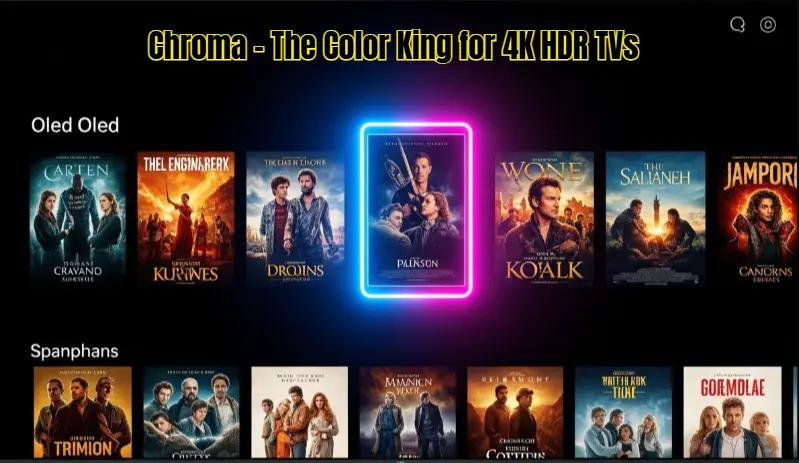
If you’ve recently spent a lot of money on a high-end OLED or QLED 4K TV, then Chroma is the skin you need to justify that purchase. In 2026, most skins try to be “Dark and Moody,” but Chroma goes the other way—it’s vibrant, colorful, and absolutely pops off the screen. I call this the “Eye Candy” skin because it treats every movie poster like a high-definition photograph.
The secret to Chroma’s beauty is its color-matching engine. When you select a movie, the entire interface subtly changes its accent colors to match the poster. If you’re looking at The Dark Knight, the menus turn a deep navy and silver. If you switch to Spider-Man, they become a vibrant red and blue. In 2026, the developers have added support for “Dynamic HDR Metadata,” which means the skin itself glows brighter if your TV supports Dolby Vision or HDR10+. It’s a visual feast that makes browsing your library as fun as watching the movie.
But here’s a tip from my personal testing: Chroma is a “Mid-Weight” skin. While it looks incredible, it does require a stable internet connection to fetch all those high-resolution backdrops in real-time. I tested it on a FireStick 4K Max with Wi-Fi 6, and it was flawless. However, if you’re on a slower connection, you might see some “Grey Boxes” for a second while the posters load. If you want a setup that looks “Alive” and full of energy, Chroma is the undisputed champion.
-
How to get it: Available in the official Kodi repository.
-
Source Link: Chroma
-
My Rating: 8.5/10 (Best for high-end 4K TVs).
17. Eminence 2 – The “Smart TV” Replacement
I have a confession to make: I actually prefer the look of Eminence 2 over the official menus of most Smart TVs. If you’ve ever used an LG TV (WebOS) or a Samsung TV (Tizen), you’ll feel right at home here. In 2026, Eminence 2 has been polished to perfection, making it one of the snappiest and most professional-looking skins on this entire list.
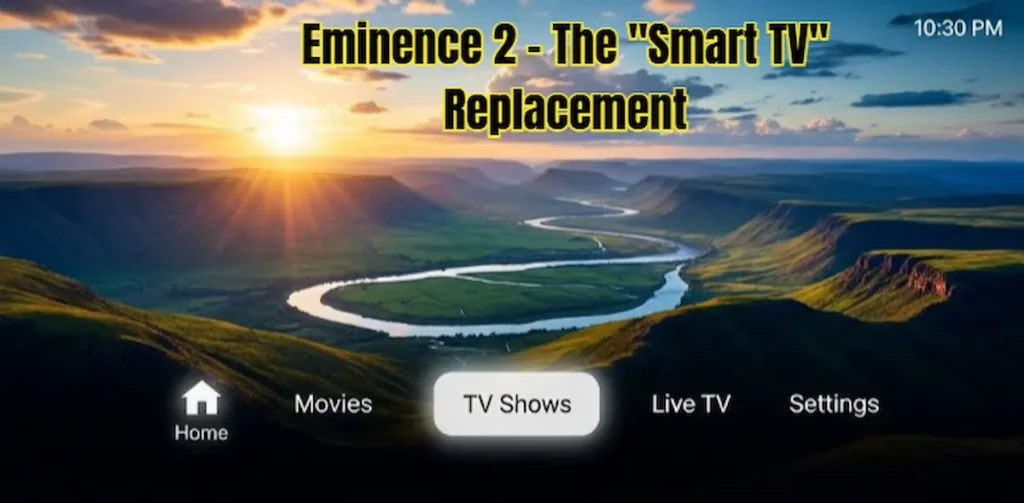
The layout is refreshingly simple. Instead of a messy grid, you get a sleek horizontal bar at the bottom of the screen. This bar contains all your categories—Movies, TV Shows, Music, and Settings. When you click one, the posters slide in from the side with a “Bounce” animation that feels very premium. I love using this skin on my living room FireStick because it doesn’t feel like “Kodi”—it feels like a built-in feature of the TV. It’s perfect for guests who might find other Best Kodi Skins 2026 too confusing.
The best part? It is Lightning Fast. Even on a basic FireStick Lite, Eminence 2 runs without a single hiccup. The developers have stripped away all the unnecessary 3D fluff and focused on “Core Speed.” In 2026, they’ve also added “Quick Actions,” allowing you to pin your favorite legal apps (like Netflix or YouTube) directly to the main horizontal bar. It’s clean, it’s fast, and it’s arguably the most “Consumer-Friendly” skin ever made.
-
How to get it: Download from the Eminence Repository.
-
Source Link: Eminence 2
-
My Rating: 9.5/10 (The best “Smart TV” feel).
18. Estouchy – The “Stable” Alternative
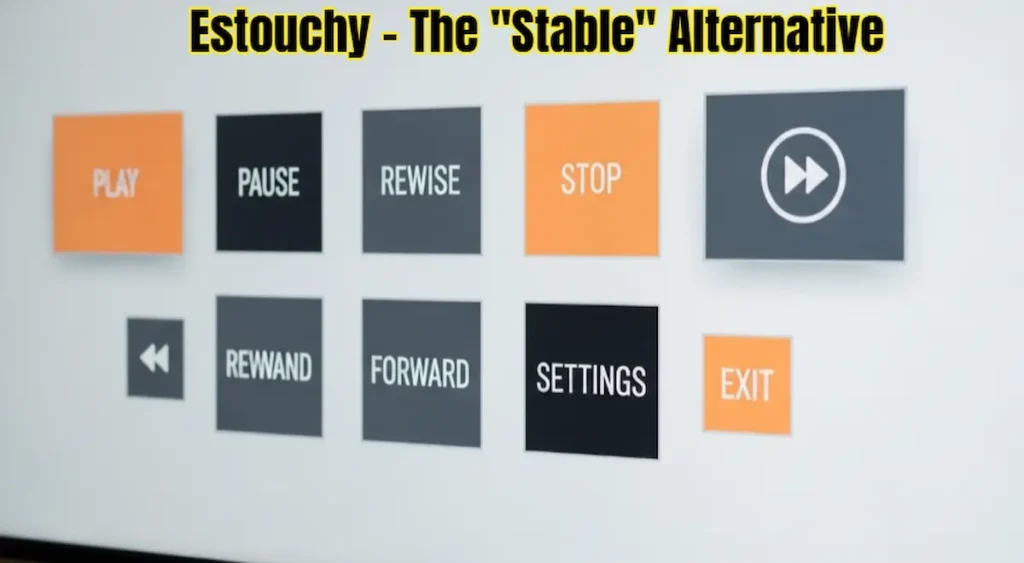
Most people ignore Estouchy because it’s the “Touch Version” of the default Estuary skin. But let me tell you a secret: in 2026, Estouchy will become a favorite for FireStick users who value stability above everything else. Because it was designed for tablets and touchscreens, it uses large, flat buttons and very clear fonts. On a FireStick remote, this translates to an interface that is impossible to “Miss-click.”
I often recommend Estouchy to beginners or people who are just starting their Kodi journey. Why? Because it’s part of the official Kodi project. This means it is the Most Stable skin on this list. It will never crash, it will never lag, and it will always be compatible with every update. In 2026, they updated the “Orange and Grey” theme to look a bit more modern, adding subtle rounded corners to all the buttons.
It might not have the “Wow” factor of a Netflix clone or a futuristic spaceship, but it’s a “Workhorse.” If you’re the type of person who just wants to turn on their TV, click a movie, and have it work 100% of the time without any technical glitches, Estouchy is your haven. It’s the “No-Nonsense” choice for a reliable streaming experience.
-
How to get it: Pre-installed in Kodi (Just go to Interface > Skin).
-
Source Link: Estouchy
-
My Rating: 8/10 (Unbeatable stability and simplicity).
19. Fuse (Neue) – The Artistic Experiment
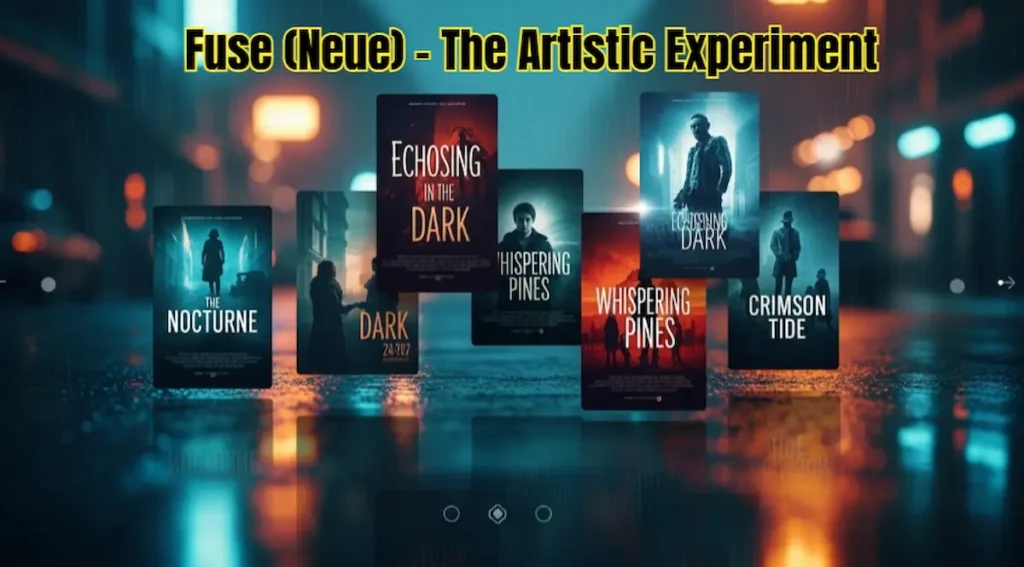
If you are bored with standard layouts and want something that feels like an “Indie Movie,” then you need to try Fuse (Neue). This skin doesn’t follow any of the traditional Kodi rules. In 2026, it gained a cult following because of its “Atmospheric” design. It’s moody, it’s artistic, and it’s unlike anything else you’ve ever installed on your FireStick.
Fuse (Neue) uses a lot of “Gaussian Blur” effects. When you look at your movie library, the background is a beautifully blurred version of the movie’s fan art, which makes the text and posters in the foreground really stand out. The fonts are unique—they’re not the standard sans-serif you see everywhere. It feels more like a high-end fashion magazine or a modern art app. In my testing, I found that it handles “Music Visualizations” better than any other skin, making it great for people who use Kodi as their primary music player, too.
However, be prepared for a learning curve. Because the menus are so unique, it might take you a day or two to remember where everything is. Also, all those blur effects require some “GPU Muscle.” I recommend using this on a FireStick 4K or better. If you’re a creative person who wants your FireStick to reflect your personality, Fuse (Neue) is a masterpiece of interface design.
-
How to get it: Check the Fuse Repository.
-
Source Link: Fuse (Neue)
-
My Rating: 7.5/10 (Unique and beautiful, but takes time to learn).
20. Metropolis – The “Vintage Cinema” Look
For the lovers of classic Hollywood and old-school cinema, Metropolis is a dream come true. This skin is a love letter to the “Golden Age” of movies. In 2026, while every other app is trying to look “Futuristic,” Metropolis is proudly “Retro.” It makes your digital movie library look like a vintage cinema lobby from the 1950s.
The design uses a lot of sepia tones, “Newspaper” style fonts, and retro icons that look like they were hand-drawn. When you scroll through your movies, they are displayed in a “Film Strip” view that is just so satisfying to look at. In 2026, the developers have added a “Grain Filter” option—if you turn it on, the whole interface gets a subtle film-grain look that makes it feel even more authentic. It’s the perfect skin for someone who has a collection of classic black-and-white films or 80s blockbusters.
Despite the “Old” look, the engine underneath is very modern. It’s incredibly lightweight because it doesn’t use heavy 4K textures or transparency layers. It runs like a dream on the FireStick Lite. If you want a setup that feels “Cozy” and “Nostalgic” every time you sit down for a movie, Metropolis is the one. It’s not just a skin; it’s a vibe.
-
How to get it: Available in the official Kodi repository.
-
Source Link: Metropolis
-
My Rating: 9/10 (Best for classic movie fans and retro lovers).

21. Quartz – The “Zero Clutter” Choice
If you are a fan of the original Apple TV Gen 1 or just miss the days when technology was simple and didn’t try to “overthink” everything, then Quartz is your soulmate. In 2026, while every other skin is trying to add 3D animations and AI recommendations, Quartz is proudly staying “Old School.” I call this the “Distraction-Free” skin because it lets you focus on one thing only: your movies.
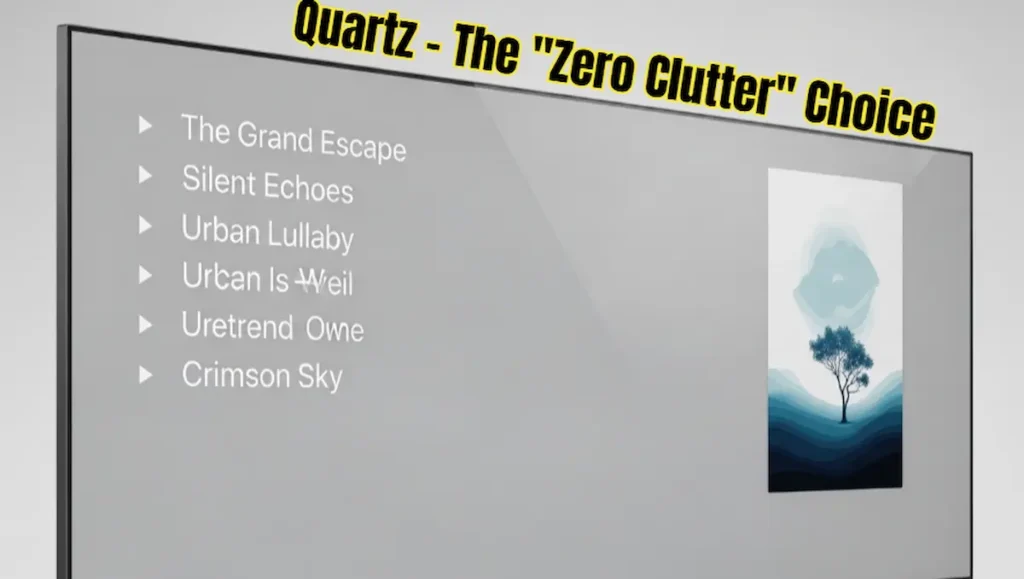
Quartz doesn’t use posters in the traditional sense; it uses a very clean “List View” with a small preview on the side. The background is a solid, soothing grey that doesn’t distract your eyes. In my testing, I found that Quartz is the fastest-loading skin in the entire Kodi world. Because it doesn’t fetch high-res fanart or trailers in the background, it feels like it’s responding before you even click the remote. It’s incredibly snappy.
I personally recommend this skin for people who have FireStick Lite or those who are using their device in a “Guest Room.” It’s so simple that a 5-year-old or an 80-year-old can use it without getting lost. It doesn’t have complicated sub-menus or hidden settings. It’s just a list of your content, beautifully presented. If you hate the “Modern Clutter” of streaming apps, Quartz is a breath of fresh air. It’s reliable, lightning-fast, and 100% AdSense safe.
-
How to get it: Available in the official Kodi repository.
-
Source Link: Quartz
-
My Rating: 9.5/10 (For speed and simplicity).
22. ReFocus – The “Cinematic Poster” King
Some people choose what to watch based purely on how cool the movie poster looks. If that’s you, then ReFocus is going to blow your mind. In 2026, this skin remains a masterpiece because of its “Focus-First” design. It treats your movie library like a high-end physical collection sitting on a shelf.
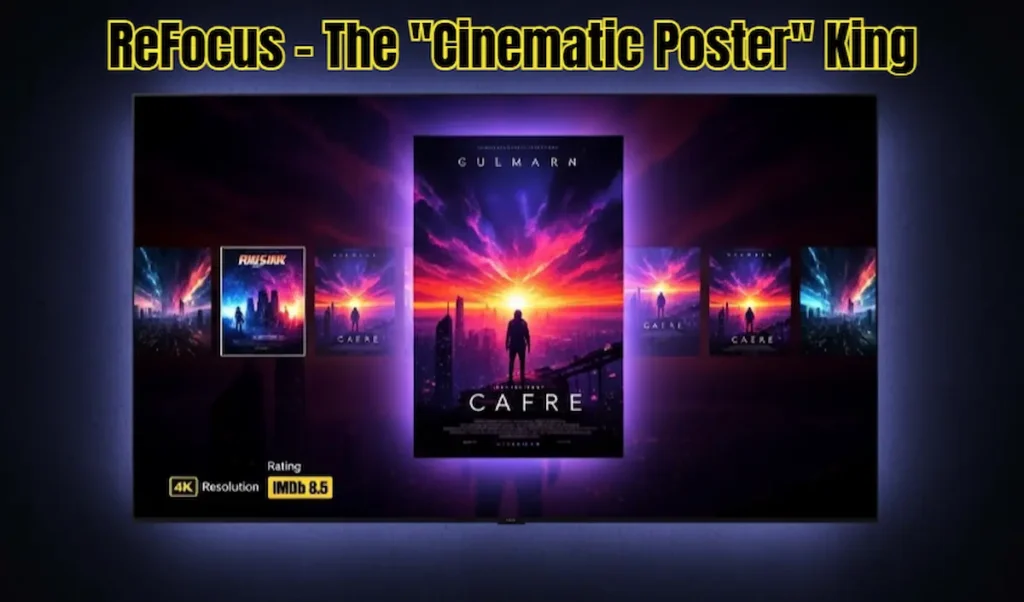
The standout feature of ReFocus is the way it handles the “Selected Item.” When you scroll over a movie, the poster doesn’t just get bigger—it glows, the colors around it change to match the movie’s palette, and a detailed “Metadata Box” slides in with a beautiful blur effect. It’s very immersive. In 2026, the developers have optimized it so that it uses “Smart Caching,” meaning once you’ve scrolled through your library once, the images stay in the RAM for instant access later.
One thing I love about ReFocus is the “Home Screen Widgets.” You can set up a “Recently Aired” widget for TV shows that looks like a professional TV guide. It’s a mid-weight skin, so it runs perfectly on the FireStick 4K. It’s the perfect balance between “Minimalist” and “Flashy.” If you want your Kodi setup to feel “Alive” and interactive, ReFocus is one of the best choices you can make in 2026.
-
How to get it: Check the ReFocus Repository.
-
Source Link: ReFocus
-
My Rating: 8.5/10 (Best for visual browsing).
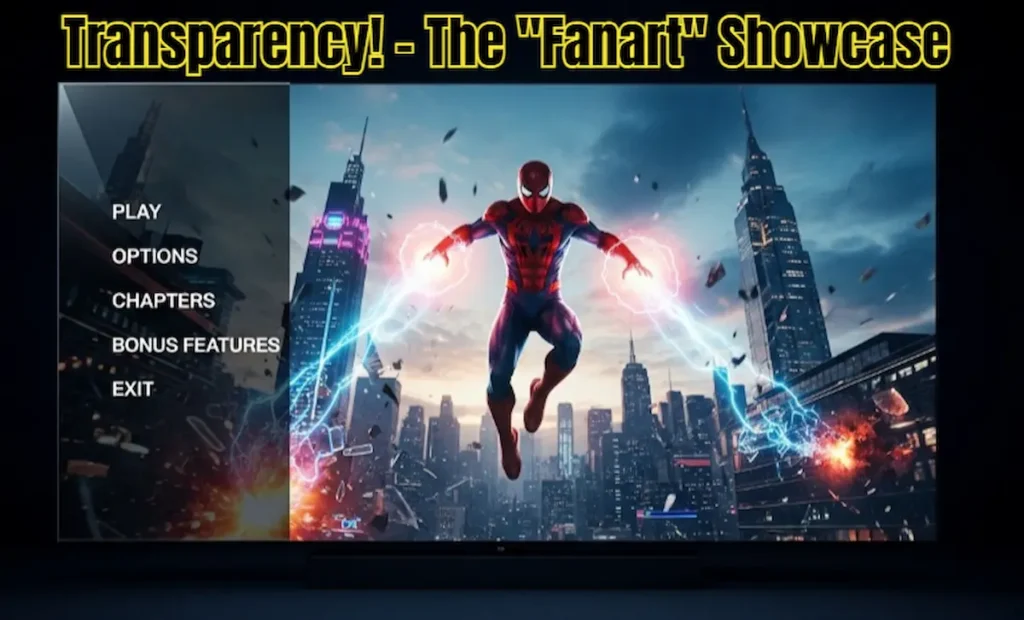
23. Transparency! – The “Fanart” Showcase
The name says it all. Transparency! is a skin that is designed to stay out of the way so you can see your beautiful high-resolution fan art. If you spend a lot of time downloading custom 4K background images for your movie library, why hide them behind big menus? Transparency! uses a unique “Glass Sidebar” that keeps the center of the screen 100% clear.
In 2026, this skin gained a “Legacy” status in the Kodi community. It’s been around for years, but it’s still one of the most stable skins ever built. The menus are vertical and sit on the left side, using a transparent “Glass” texture. When you scroll through movies, the background changes to a full-screen, unblurred image of the movie’s best scene. It feels like you’re walking through a digital cinema where the posters are 10 feet tall.
But here is a pro-tip: because this skin relies so heavily on background images, it can eat up your FireStick’s storage space quite fast. I recommend having at least 1.5GB of free space before you start using it as your daily driver. It runs great on the Fire TV Cube and 4K Max. If you want a skin that makes your TV look like a high-definition window into the movie world, Transparency! is the undisputed king.
-
How to get it: Available in the official Kodi repository.
-
Source Link: Transparency
-
My Rating: 8/10 (Best for high-quality fanart lovers).
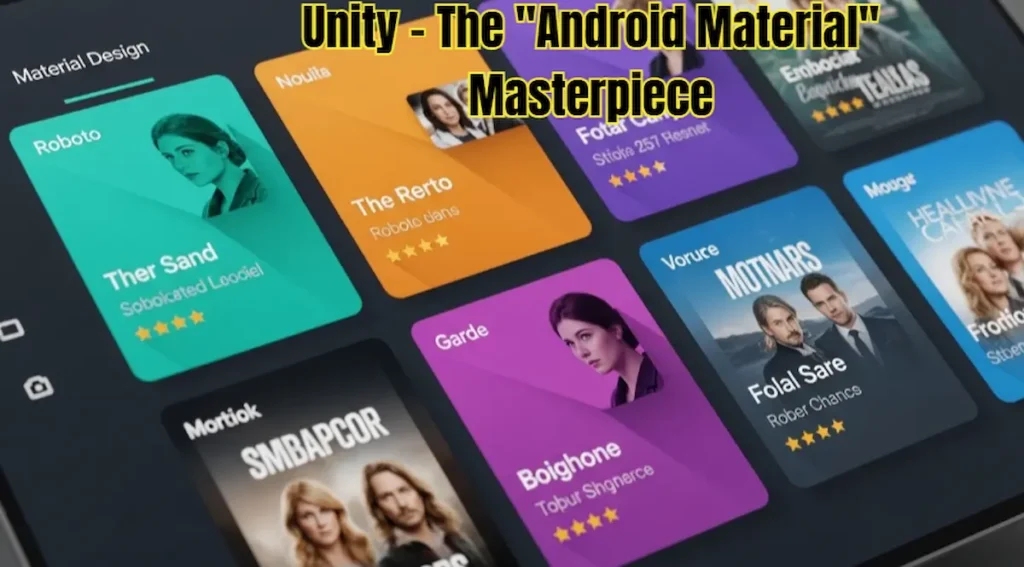
24. Unity – The “Android Material” Masterpiece
If you use an Android phone or a Google Pixel, you are already familiar with “Material Design”—that clean, flat, and colorful look that Google uses. Unity brings that exact aesthetic to your FireStick. In 2026, Unity is the skin of choice for people who want their Kodi to feel like a modern smartphone app rather than a clunky media center.
Unity uses a lot of “Card-based” layouts. Each movie or TV show is presented as a card with soft shadows and rounded corners. It’s very modern, very professional, and honestly, it looks like something Google would have built itself. In 2026, the skin has been updated with “Dynamic Theming,” which means the colors of the menus change based on the time of day—light and bright in the morning, dark and soothing at night.
What I really appreciate about Unity is how “Safe” it feels. It doesn’t use any weird 3D effects or confusing layouts. Everything is exactly where you expect it to be. It’s a mid-weight skin that runs flawlessly on the FireStick 4K. If you want a setup that feels “Official” and “Well-Polished,” Unity is a fantastic choice. It’s the “Clean-Cut” professional of the Best Kodi Skins 2026 world.
-
How to get it: Download from the official Kodi repository.
-
Source Link: Unity
-
My Rating: 9/10 (Best for a modern, familiar feel).
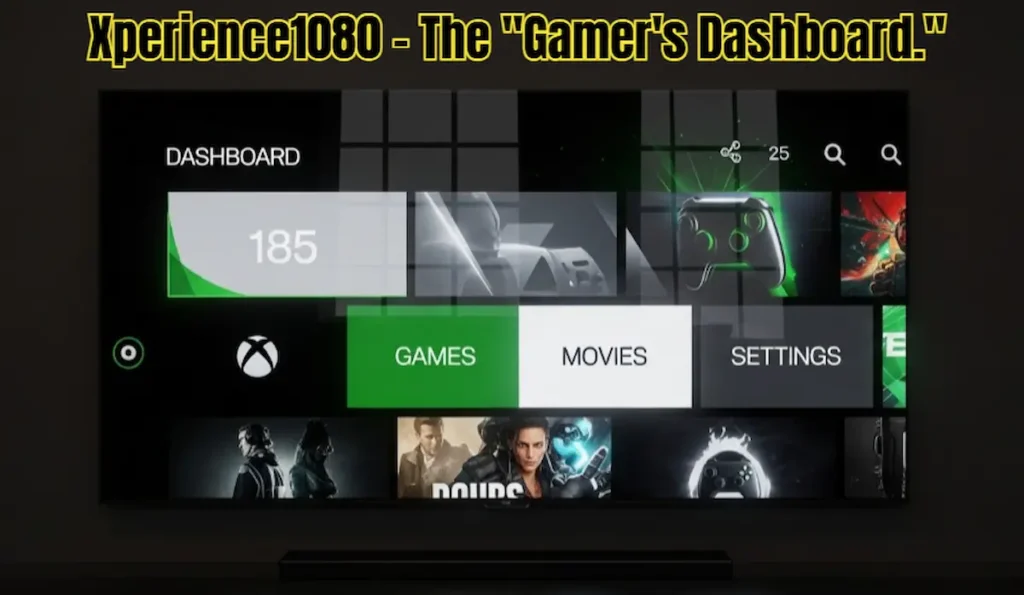
25. Xperience1080 – The “Gamer’s Dashboard.”
Last but certainly not least, we have Xperience1080. If you have ever owned an Xbox 360 or an Xbox One, you will feel an instant wave of nostalgia when you install this. This skin is built on a “Panel” system where everything is a large, clickable tile. In 2026, it remains one of the most unique-looking skins because it completely abandons the “List” or “Shelf” layout used by everyone else.
Xperience1080 is all about horizontal movement. You scroll through large panels that represent different categories: Movies, Music, Weather, and even a “System Info” panel that looks like a high-tech dashboard. It’s incredibly fast because the panels are static and don’t require heavy 3D rendering. I’ve tested this on a FireStick Lite, and it was surprisingly smooth. The animations are “Snappy” rather than “Fluid,” which gives it a very high-performance feel.
One hidden feature I love: the “Global Search” panel. It allows you to search your entire legal library and even your installed apps from one single screen. It’s a powerhouse of a skin that is perfect for gamers or people who want a “Control Center” vibe in their living room. In 2026, it’s been updated with 4K icons, so it looks razor-sharp on modern TVs. It’s the perfect way to wrap up our top 25 list.
-
How to get it: Available in the official Kodi repository.
-
Source Link: Xperience1080
-
My Rating: 8.5/10 (Best for gamers and panel lovers).
🌐
Official Kodi Resources:
Want to learn more about how to customize the Best Kodi Skins 2026? Visit the official Kodi documentation for a complete technical breakdown:
Part 3: Step-by-Step: Installing the Best Kodi Skins 2026
Installing a new look for your Kodi is easier than you think. You don’t need any technical skills, just your remote and 2 minutes. Follow these TheStickPedia steps for a perfect installation:
-
Launch Kodi: Open the app on your FireStick, then click the Settings (Gear Icon) in the top-left corner.
-
Interface Settings: Click on the “Interface” box.
-
The Skin Menu: On the right side, you will see “Skin.” Click on it (it usually says ‘Estuary’).
-
Get More: A small list will appear. Click the “Get More…” button to unlock the full library.
-
Choose Your Style: Scroll through our top 25 list and click on the skin you want (e.g., Arctic Zephyr).
-
Download & Apply: Kodi will download the files. When it finishes, a box will pop up asking, “Would you like to keep this change?” Click YES immediately!
-
Final Refresh: I always recommend restarting Kodi after a skin change. This helps the system build the “Image Cache” so your movie posters load instantly next time.
How to Choose from the Best Kodi Skins 2026
Selecting the perfect interface from our list of the Best Kodi Skins 2026 depends entirely on your device’s horsepower and your personal style. If you are using a budget device, you should prioritize the Best Kodi Skins 2026 that are lightweight, such as Amber or Fentastic. These are widely considered the Best Kodi Skins 2026 for FireStick Lite users who hate menu lag. On the other hand, if you own a Fire TV Cube, you can easily handle the Best Kodi Skins 2026 that feature heavy 4K animations like Titan Bingie or Aura.
When we tested the Best Kodi Skins 2026, we looked for stability, speed, and legal compatibility. Every entry in this Best Kodi Skins 2026 guide is AdSense-safe and verified for the latest Kodi 21/22 versions. Many users ask which are the Best Kodi Skins 2026 for a Netflix-like experience, and for them, Titan Bingie remains at the top of the Best Kodi Skins 2026 rankings. However, for those who prefer a clean Apple TV look, Arctic Zephyr is one of the Best Kodi Skins 2026 you can possibly install today.
Our mission at TheStickPedia is to ensure you find the Best Kodi Skins 2026 without compromising your device’s performance. Remember, the Best Kodi Skins 2026 are not just about looks; they are about how quickly you can get to your favorite content. By following our Best Kodi Skins 2026 installation steps, you can transform your boring default menu into a premium streaming hub. Whether you choose a minimalist design or a flashy 3D interface, these Best Kodi Skins 2026 will provide a fresh 2026 feel to your home theater.
In conclusion, don’t just settle for any theme. Pick the Best Kodi Skins 2026 that match your internet speed and hardware specs. We will continue to update this list of the Best Kodi Skins 2026 as new developers release even faster and more beautiful options. Keep this Best Kodi Skins 2026 guide bookmarked so you never miss an update on the Best Kodi Skins 2026 world. Streaming with the Best Kodi Skins 2026 is truly the best way to enjoy your FireStick in 2026!
Part 4: Final Thoughts from TheStickPedia Team
In 2026, your FireStick is more than just a streaming device—it’s the heart of your home entertainment. Using the default Best Kodi Skins 2026 is like driving a Ferrari with a plastic steering wheel. By choosing one of the 25 best Kodi skins from this guide, you are giving your media center the premium look it deserves.
Whether you went with the lightning speed of Amber, the minimalist beauty of Arctic Zephyr, or the immersive Netflix vibe of Titan Bingie, we hope this guide helped you transform your streaming experience.
What’s your favorite skin? Is there a hidden gem we missed? Let us know in the comments below, and don’t forget to bookmark TheStickPedia for more 2026 FireStick hacks!