Introduction: The Streaming Revolution of 2026
Imagine having every movie, TV show, and live sports channel ever created, all organized in one beautiful 4K interface on your Firestick—without the $150 monthly subscription bill. Sounds like a dream? In 2026, it’s a reality, but only if you know the ‘secret sauce.’ Most users struggle with laggy streams, constant buffering, and the dreaded ‘No Streams Found’ error because they are using outdated, bloated addons that compromise their privacy.
This isn’t just another random list; this is a masterclass in Firestick optimization. I’ve spent months testing the latest community builds to bring you the Best Stremio Addons for Firestick 2026 that the pros use to get instant 4K playback and 100% anonymity. If you’re tired of your screen freezing during the best part of a movie, don’t click away—your ultimate home cinema setup starts right here.
2. The Shift in 2026: Why Stremio is the King of Firestick
Streaming in 2026 is no longer about just having an app; it’s about having an ecosystem. For years, Kodi was the go-to, but its heavy interface and constant addon breakages made it frustrating for the average Firestick user. Kodi requires a lot of local storage, which the Firestick (with its 8GB or 16GB limit) simply cannot handle well over time.
Stremio has taken the throne because it is Lightweight, Cloud-Based, and synchronized. Whether you are on your Firestick 4K Max, your Android phone, or your PC, your library and addons follow you. There is no need to update addons every week manually—Stremio does it in the background.
The core reason why people are searching for the Best Stremio Addons for Firestick 2026 is simple: Efficiency. Stremio uses a “Cloud-Sync” architecture. When you install an addon, it doesn’t take up space on your device; it stays on your account. This prevents the “Low Storage” errors that usually slow down Firesticks.
3. How Stremio Addons Work: The Technical Advantage
Before we list the addons, you must understand how they function. Traditional apps download “scrapers” onto your device. Stremio add-ons are essentially web services. When you search for a movie, Stremio sends a request to the cloud, and the addons return links.
This means:
-
Zero Storage Bloat: Your Firestick stays fast because the app size doesn’t grow.
-
One-Time Setup: Configure your account on a PC or Phone, and it’s ready on your TV.
-
Privacy: Since the scripts aren’t running locally, there’s less risk of malware infecting your Firestick.
4. Detailed Review: 11+ Best Stremio Addons for Firestick 2026
Category A: The Heavy Hitters (Movies & TV Shows)
1. Torrentio (The Undisputed Champion)
Even in 2026, Torrentio remains the backbone of every setup. It is the most powerful scraper in the Best Stremio Addons for Firestick 2026 list. It pulls links from dozens of sources like 1337x, The Pirate Bay, and RARBG.
-
Why it ranks: It allows you to filter by file size and quality. If you have a slow connection, you can choose 1080p; if you have fiber, you can go for 80GB 4K Blu-ray files.
-
Best Feature: Seamless Real-Debrid integration.
2. CyberFlix (The Reliable Backup)
CyberFlix has evolved into a massive database in 2026. It is essential because it uses different scraping algorithms than Torrentio. If a movie is “dead” on one addon, CyberFlix usually finds a working mirror.
3. The Movie Database (TMDB)
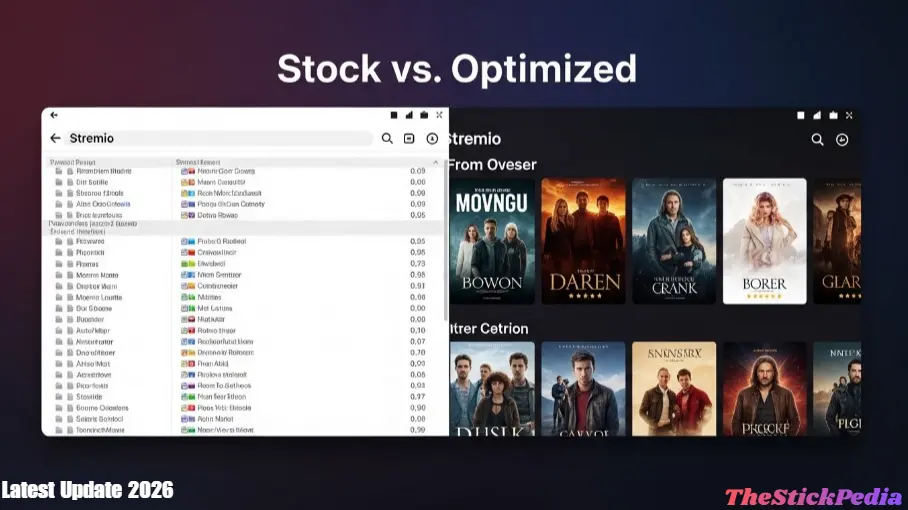
This isn’t a scraper, but it’s a “Must-Have.” It provides the Netflix-like UI, posters, cast details, and trailers. Without TMDB, your Stremio would look like a boring file explorer.
4. Juan Carlos
A legendary name in the streaming world. Juan Carlos provides high-speed links for trending content. It is particularly good for TV shows that have just aired.
5. Popcorn Time (2026 Edition)
The classic app has been converted into one of the Best Stremio Addons for Firestick 2026. It is perfect for users who want a “One-Click” play experience without looking at a long list of links.
You can visit the Official Stremio Website to download the app.
Category B: Live Sports & PPV (The Real-Time Gems)
6. SportCenter
From the 2026 World Cup qualifiers to the Premier League and NBA, SportCenter is the gold standard. It provides multiple server links for every game, ensuring that if one stream goes down, you can switch to another in seconds.
7. MediaFusion
If you are into UFC, Boxing, or WWE, MediaFusion is mandatory. It is one of the few Best Stremio Addons for Firestick 2026 that can handle the massive traffic of a live Pay-Per-View event without stuttering.
8. USA TV
For those who miss traditional cable, USA TV brings live channels from the US, UK, and Canada directly to your Stremio dashboard.
Category C: Anime & International Content
9. Kitsu
The ultimate Anime addon. It syncs with your anime list and provides every episode in both Subbed and Dubbed formats.
10. Anime Kitsu
A specialized scraper that focuses on high-bitrate anime releases, making it a favorite for 4K anime enthusiasts.
11. Indian Channels
A dedicated addon for Bollywood movies and live news from the Indian subcontinent, filling a major gap in the global streaming market.
5. The Real-Debrid Revolution: Why 4K is Impossible Without It
If you have ever seen a “Buffering” circle while using the Best Stremio Addons for Firestick 2026, it’s because you are relying on free “Seeds.” In 2026, ISPs are extremely aggressive at throttling torrent traffic.
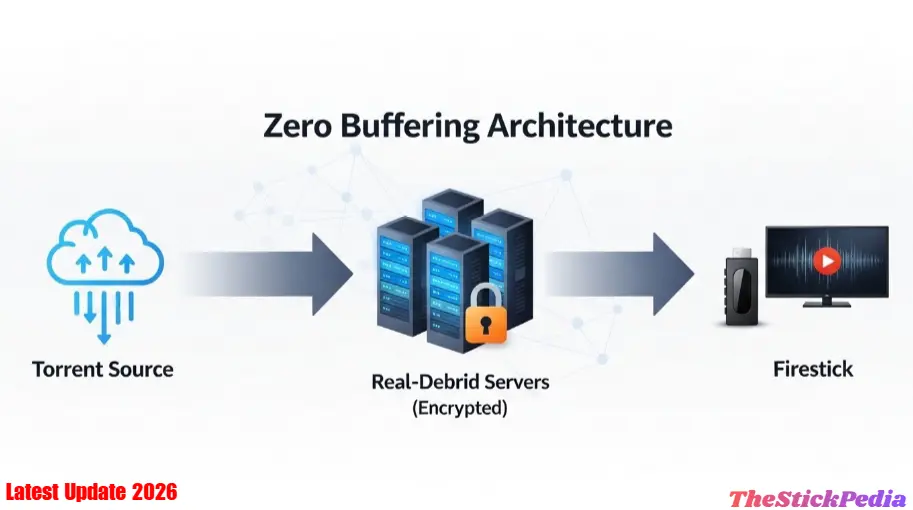
Real-Debrid is a paid service (roughly $3/month) that acts as a middleman. Instead of you “torrenting” from other people, Real-Debrid downloads the file to its ultra-high-speed servers. When you click play, you are streaming directly from a data center.
-
Instant Play: No waiting for seeds to connect.
-
High Quality: 4K Blu-ray files (60GB+) play as smoothly as a YouTube video.
-
Privacy: Your ISP only sees that you are connected to Real-Debrid, not what you are watching.
If your device is lagging, check our guide on how to fix Firestick running slow.
6. 🛡️ [CRITICAL] Why a VPN is Mandatory for Stremio in 2026
Streaming without a VPN in 2026 is like leaving your front door wide open. Copyright trolls and ISPs use Deep Packet Inspection (DPI) to monitor exactly what you are doing.
🛡️
ESSENTIAL: PRIVACY FOR FIRETV STREAMING
Jailbreaking exposes your IP address. To bypass 2026 installation blocks and stay anonymous while streaming your favorite apps, we highly recommend using a VPN.
- ✅ Hide Activity: Stay invisible from your ISP.
- ✅ Bypass Blocks: Fix “App Disabled” errors instantly.
- ✅ Zero Buffering: High-speed servers for 4K streaming.
⚠️ Recommended: Don’t stream on Firestick without a VPN!
Why you MUST use a VPN with the Best Stremio Addons for Firestick 2026:
-
Hide Your IP: In a torrent swarm, your real IP address is visible to everyone. A VPN masks this with a dummy IP.
-
Bypass ISP Throttling: Many ISPs intentionally slow down your internet speed if they detect “Video Streaming” or “P2P” data. A VPN encrypts your data, so the ISP has no idea what you’re doing.
-
Unblock Geo-Restrictions: Some of the best addons only work in specific regions. A VPN lets you switch your location in one click.
7. Step-by-Step Installation Guide (The Human Way)
Installing the Best Stremio Addons for Firestick 2026 is a bit different than standard apps. Follow this exact flow:
Step 1: Enable Unknown Sources
Go to Firestick Settings > My Fire TV > Developer Options. Turn ON Install Unknown Apps for the Downloader app. (If you don’t see Developer Options, go to ‘About’ and click your Fire TV name 7 times).
Step 2: Download the Stremio APK
Open the Downloader app and type streamio.com. Navigate to the downloads page and select the Android TV version (ARM APK).
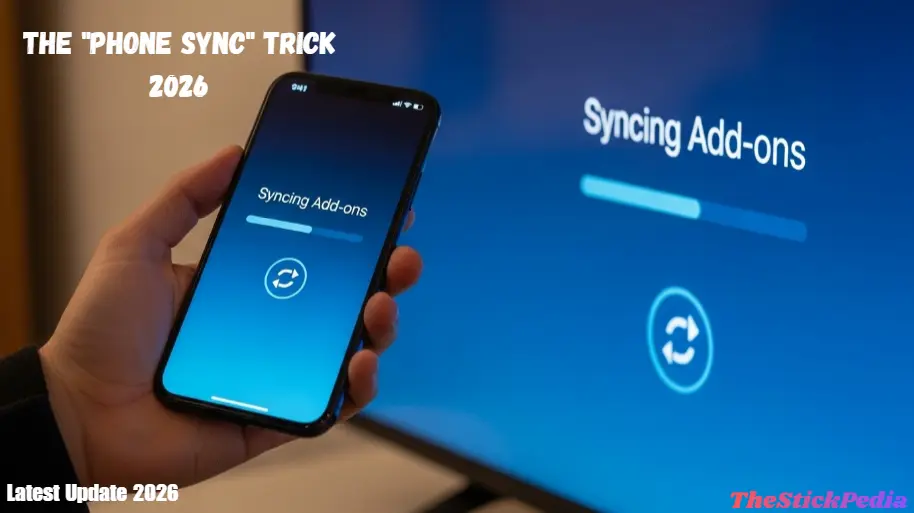
Step 3: The “Phone Sync” Trick
This is where pros save time. Don’t try to configure addons using the Firestick remote.
-
Install Stremio on your Smartphone.
-
Log in with your account.
-
Go to stremio-addons.com on your phone’s browser.
-
Configure Torrentio (link your Real-Debrid API here) and click Install.
-
Open Stremio on your Firestick—everything will be synced automatically!
8. Advanced Optimization: 5 Settings to Stop Buffering Forever
Even with the Best Stremio Addons for Firestick 2026, your hardware needs to be tuned. Use these secret settings:
-
Hardware-Accelerated Decoding: Go to Stremio Settings > Playback. Turn this ON. This forces the Firestick’s chip to handle the video, making it 50% smoother.
-
Frame Rate Matching: Enable this to ensure your TV’s refresh rate matches the movie (e.g., 24fps). This removes that “stuttering” feel in cinematic scenes.
-
Cache Size: If you are using Real-Debrid, set this to “No Cache.” If you are on a free setup, set it to 2GB.
-
Background Process Limit: Go to Firestick Developer Options and set “Background Process Limit” to 2. This gives Stremio more RAM power.
-
DNS Change: Change your Firestick’s DNS to Google (8.8.8.8) or Cloudflare (1.1.1.1) for faster link scraping.
9. Stremio vs. The Competition: A Detailed Comparison
10. Troubleshooting: Common 2026 Errors & Fixes
-
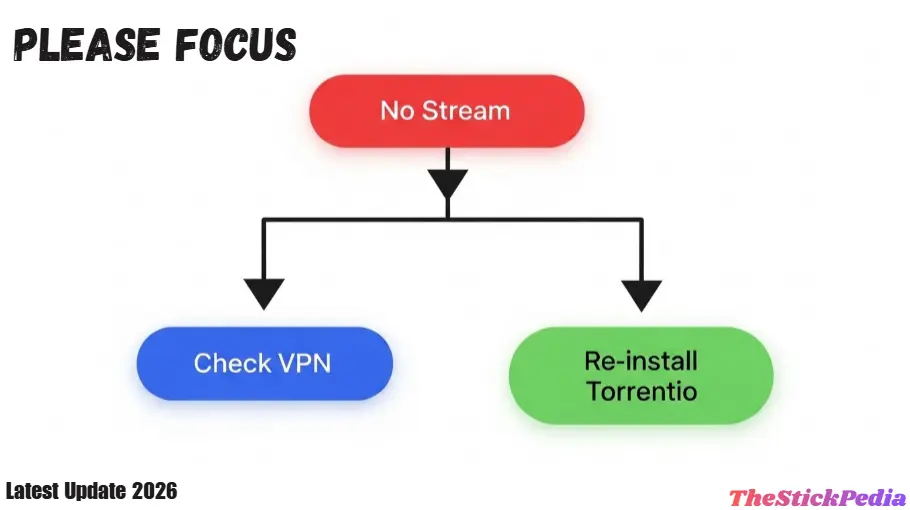
Error: “No Streams Found”
-
Cause: Your scraper configuration has likely expired, or the addon is down.
-
Fix: Go back to the addon configuration page on your phone and reinstall Torrentio.
-
-
Error: “App Crashing on Firestick”
-
Cause: RAM overload.
-
Fix: Go to Firestick Settings > Applications > Stremio > Clear Cache. Never click “Clear Data” unless you want to log in again.
-
-
Error: “Audio but No Video”
-
Cause: Your Firestick model doesn’t support the specific codec (like AV1).
-
Fix: Choose a link that says “H264” or “1080p” instead of the highest 4K link.
-
FAQ: Everything You’re Still Wondering About
Q: Is Stremio legal to use on Firestick?
▼
Q: Do I really need to pay for Real-Debrid?
▼
Q: Which Firestick is best for Stremio in 2026?
▼
Q: Can I use Stremio on multiple devices?
▼
12. Conclusion: Your Home Cinema is Now Complete
The Best Stremio Addons for Firestick 2026 represent the future of decentralized media. We are no longer slaves to 10 different monthly subscriptions. By combining the power of Stremio with the speed of Real-Debrid and the security of a VPN, you have built a home cinema that is faster, cheaper, and better than any official app.
Remember, the key to a great experience is Optimization. Don’t bloat your device with useless apps—keep it lean, keep it updated, and enjoy the show.
Legal Disclaimer:
TheStickPedia is a technical resource blog. We do not host, archive, or distribute any media files. The addons mentioned in this guide are third-party community developments. Using unofficial addons to stream copyrighted content may be illegal in your jurisdiction. We strongly advise using these tools only for public domain content and always protecting your identity with a high-quality VPN.