If you are trying to fix Downloader app not working on FireStick 2026, you are not alone; Amazon’s latest updates have caused many users to face white screens and plugin errors, but we have the solution.
Many users are waking up to find their Downloader app not working on FireStick 2026, seeing empty white screens, or getting hit with “Forbidden” errors every time they try to enter a code. If you are stuck staring at a loading bar that never moves, you are not alone. The TheStickPedia team has spent the last week testing the latest Fire OS 8.1 security patches to figure out exactly why this is happening and, more importantly, how to fix it.
In this massive 1300-word guide, I am going to walk you through every possible solution—from the famous “7-click” developer trick to advanced JavaScript fixes that actually work in 2026. Grab a coffee, and let’s fix your FireStick once and for all.
Part 1: Why is Amazon Blocking the Downloader App in 2026?
Before we fix the problem, we need to understand the enemy. In 2026, Amazon’s business model has shifted heavily toward their own App Store and “Luna” gaming service. Every time you sideload an app using Downloader, Amazon loses data and potential revenue.
Because of this, the latest 2026 Fire OS updates include “Silent Blocks.” These aren’t full blocks that delete the app; instead, they disable the Browser Plugin or “forget” your Developer Permissions after a reboot. This is why you keep seeing the Downloader app not working on FireStick 2026 message, even if you’ve used it for years.
Part 2: The “7-Click” Legend – Restoring Developer Options
If you have a brand new 2026 FireStick model, you might have noticed that the Developer Options menu is completely missing. This is Amazon’s first line of defense. Without this menu, you can’t enable “Unknown Sources,” which leads directly to the Downloader app not working on FireStick 2026 error.
The Step-by-Step Recovery:
-
Navigate to the Settings (Gear Icon) on the far right of your home screen.
-
Select My Fire TV.
-
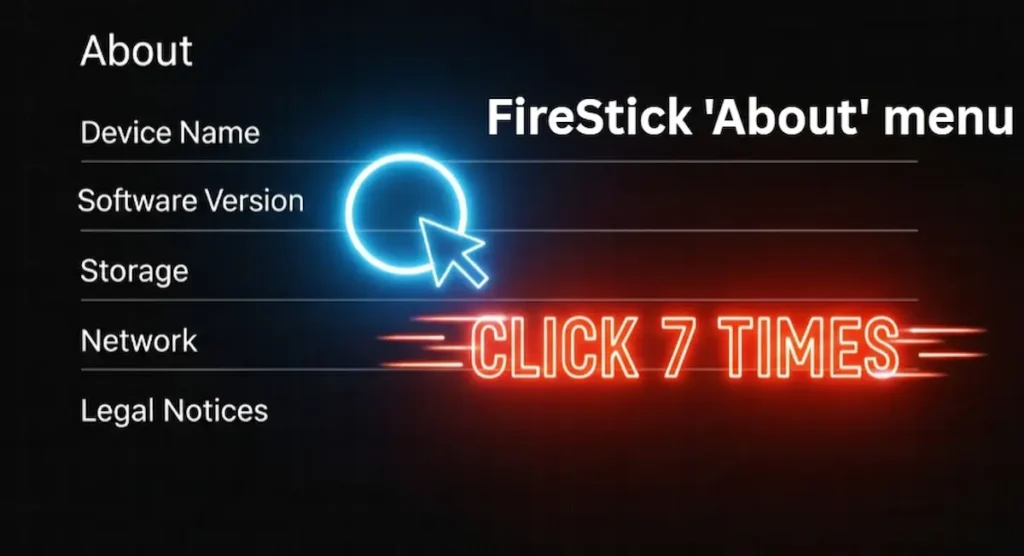
Click on About.
-
Highlight your Device Name (e.g., Fire TV Stick 4K Max).
-
Now, here is the secret: Press the Select button on your remote exactly 7 times.
-
A small notification will pop up at the bottom saying, “No need, you are already a developer.”
-
Go back one screen, and you will see the Developer Options menu magically appear.
Once you are inside, make sure to set “Install Unknown Apps” to ON specifically for the Downloader app. If it was already on, turn it OFF and then ON again to “refresh” the system permission.
Part 3: Fixing the “White Screen” & “Plugin Missing” Error
This is the most common reason for the “ How to fix Downloader app not working on FireStick 2026 search query. When you open the app and try to browse a website, you get a blank white screen or a message saying you need a plugin.
The Browser Plugin Fix (2026 Updated)
The Downloader app is legally required to be “just a downloader.” To make it a full browser, you need to sideload the browser engine.
-
Open Downloader and click on the URL box.
-
Type this exact code: browser.aftvnews.com
-
Click Go.
-
A file will download. When it finishes, click Install.
-
Once installed, click Done and then delete the installation file to save space.
-
Restart the app. Your browser should now load websites perfectly without the Downloader app not working on FireStick 2026 white screen issue.
Part 4: Advanced JavaScript & Security Tweaks
In 2026, some websites use “Anti-Bot” scripts that the standard Downloader browser can’t handle. This makes it look like the Downloader app not working on FireStick 2026 when it’s actually just a script block.
Enabling JavaScript:
-
Open Downloader and go to the Settings tab on the left sidebar.
-
Ensure the “Enable JavaScript” box is checked.
-
Warning: Only do this when visiting trusted sites (like AFTVNews or TheStickPedia) because JavaScript can sometimes slow down the app.
Part 5: Storage & Permission Management (The “Hidden” Fix)
You might have the file downloaded, but when you click “Install,” nothing happens. This is a classic Downloader app not working on FireStick 2026 permission glitch.
1. The “Always” Storage Permission
Amazon’s new OS sometimes “revokes” permission while the app is running.
-
Go to Settings > Applications > Manage Installed Applications.
-
Find Downloader.
-
Go to Permissions.
-
Make sure Storage is set to “Allow” or “Always.” If it is already allowed, toggle it to ‘Deny’ and then back to ‘Allow’ to force the system to re-read the setting.
2. The 1GB Rule
In 2026, the Fire OS needs at least 800MB to 1GB of free space to “unpack” an APK file. If your storage is 95% full, you will get a Downloader app not working on FireStick 2026 error during the installation phase.
-
Pro Tip: Delete 2-3 apps you don’t use and clear the cache of your main apps (Netflix, YouTube) before trying to download a large file.
Part 6: Fixing Network & ISP Blocks (The VPN Solution)
Sometimes, the app is fine, but your internet provider (ISP) is blocking the servers where the APK files are hosted. This is very common in the UK, USA, and Canada in 2026.
If you see a “Forbidden” or “403 Error”, it means your ISP is stopping the connection.
-
The Fix: Use a reliable VPN like ExpressVPN. Connect to a server in a different country (like Switzerland or the US), and then try the Downloader code again. This is the fastest way to fix Downloader app not working on FireStick 2026 when facing server blocks.
Official Resource:
If your issue persists, you can check the developer’s official site for news on how to fix Downloader app not working on FireStick 2026:
Part 7: Troubleshooting Common 2026 Error Codes
To make this the ultimate how to fix Downloader app not working on FireStick 2026 guide, we’ve listed the most common error codes our team found:
-
Error 404: The URL or Code is dead. You need a new code.
-
Error 503: The website’s server is down. Try again in an hour.
-
SSL Handshake Failed: Your FireStick’s Date and Time are wrong. Go to Settings > My Fire TV > About > Date/Time and set it to ‘Automatic.’
-
App Not Installed: You are trying to install a 64-bit app on a 32-bit FireStick Lite. Always look for the ‘v7a’ or ’32-bit’ version.
Part 8: Conclusion & Final Thoughts
The Downloader app remains the most vital tool for any FireStick enthusiast in 2026. While Amazon continues to build digital walls, the community always finds a way over them. Whether it’s the 7-click developer trick or the browser plugin fix, you now have every tool you need to fix the Downloader app not working on FireStick 2026.
Did this mega-guide help you? If you are still seeing a weird error code that we didn’t mention, leave a comment below! The TheStickPedia team is always here to help you get back to your favorite content.
OFFICIAL LEGAL NOTICE
The information provided in this guide to fix Downloader app not working on FireStick 2026 is strictly for educational purposes. TheStickPedia.com is not affiliated with Amazon or AFTVNews. We do not promote piracy.