In this guide, I will show you how to install Stremio on Firestick 2026. Let’s be real for a second—2026 hasn’t been the best year for us Firestick users. If you’ve tried to sideload any app lately, you’ve probably been hit with that annoying “App Installation Blocked” message. Amazon is tightening the noose, and many of our favorite old-school apps are simply stopping to work.
But there’s one survivor that’s actually getting better: Stremio.
I’ve been testing streaming apps for years on Thestickpedia, and I can tell you that Stremio is currently the “King” of cord-cutting. It’s faster than Kodi, cleaner than any other APK, and once you set it up, it feels just like using a premium service like Netflix—but for free. In this guide, I’m not just going to give you a list of steps. I’m going to show you how I personally bypassed the 2026 security blocks on my Firestick 4K Max to get Stremio running smoothly.
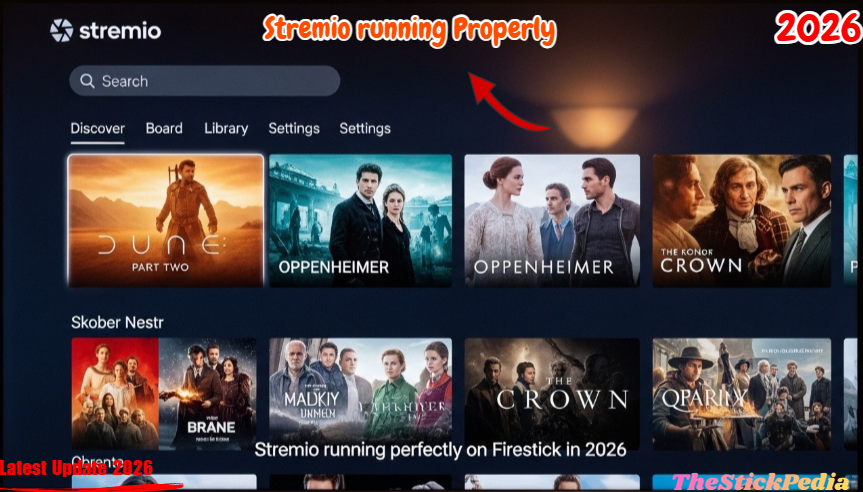
Wait! Is Your ISP Watching You? (The Stremio Torrent Risk)
Before we move an inch, we need to talk about why your apps are getting disabled in the first place. In 2026, Amazon and your ISP (Internet Service Provider) are using advanced scanners to see what you’re doing.
Here is the catch: Stremio uses torrent technology (P2P). This means while you are watching a movie, your IP address is visible to everyone. If you’re using Stremio in 2026 without protection, you’re basically leaving your digital front door wide open for copyright trolls and ISP notices.
I cannot stress this enough: Do not start this installation without a solid VPN. It’s the only way to “mask” your torrent traffic so Amazon’s system doesn’t flag your device or disable the app.
🛡️
Essential: Privacy for Stremio Torrents
Stremio uses P2P/Torrent technology, which exposes your IP address. To bypass 2026 installation blocks and stay anonymous while streaming, we highly recommend using ExpressVPN.
- ✅ Hide Torrent Activity: Stay invisible from your ISP.
- ✅ Bypass App Blocks: Fix “App Disabled” errors instantly.
- ✅ Zero Buffering: High-speed servers for 4K Stremio links.
⚠️ Recommended: Don’t stream Stremio without a VPN!
Step 1: Enable Developer Options on Firestick (2026 Method)
In the latest 2026 Fire OS updates, Amazon has hidden the Developer Options so well that most people think it’s gone. If you go to your settings and don’t see it, don’t panic. Here is how I found it:
-
Grab your remote and head over to Settings (the gear icon).
-
Click on My Fire TV.
-
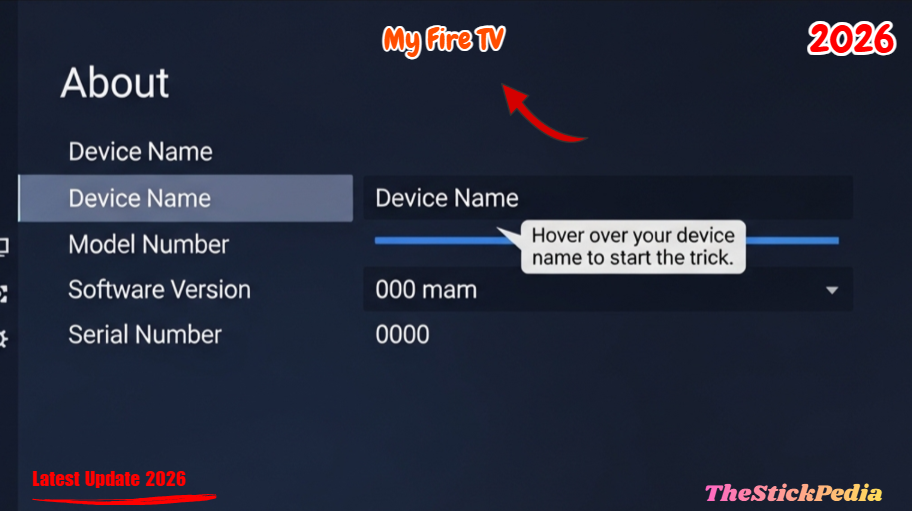
Go into the About section.
-
Now, look at your Device Name (e.g., Fire TV Stick 4K).
-
Stop here and listen: You need to click the center “OK” button on your remote 7 times very fast.
-
On the 7th click, a message at the bottom will say: “No need, you are already a developer.”
-
Go back one screen, and you will see Developer Options is finally visible.
Click on any link below to jump directly to that section:
Step 2: Preparing for the Sideload
Now we need to tell the Firestick to allow Stremio.
-
Open Developer Options.
-
Turn ON ADB Debugging.
-
Click on Install Unknown Apps.
-
(Make sure Downloader is turned ON here later.
Step 3: How to Install Stremio APK via Downloader App
We’re going to use the Downloader app. It’s still the most reliable way to sideload in 2026.
-
Go to the Find menu on your Firestick home screen.
-
Search for Downloader and install it.
-
Open Downloader and allow all permissions.
-
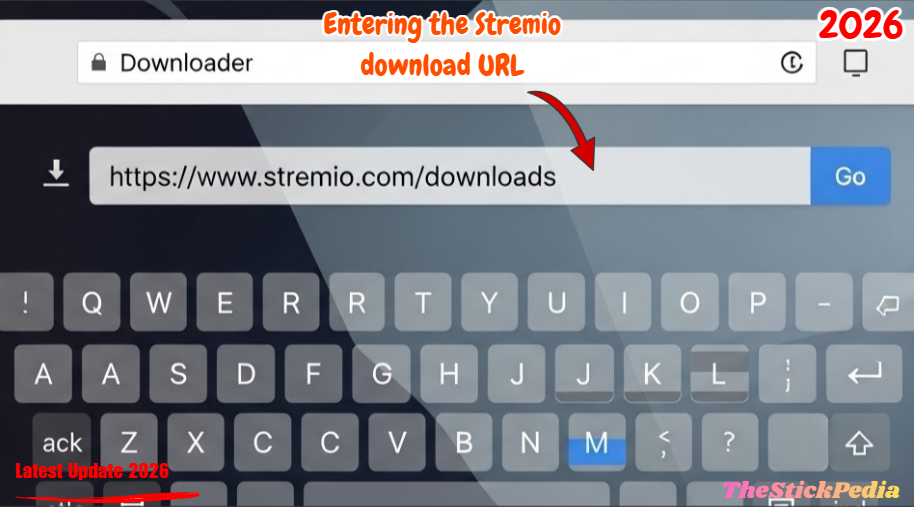
In the URL box, type the official Stremio website or a direct download code.
-
Important: Always choose the “Stremio Android TV” version. Do not install the mobile version; it won’t work with your remote.
-
Once downloaded, click Install.
Fixed: Dealing with the “App Blocked” Popup
If a pop-up says “For your security, your TV is set to block…”, click Settings right there. It will take you to the “Install Unknown Apps” menu. Find Downloader and toggle it to ON. Now go back and hit install again. It will work!
Step 4: Setting Up Stremio Add-ons (The Cloud Secret)
This is where Stremio beats Kodi. You don’t have to install heavy “Builds.” Stremio stores your setup in the cloud.
-
Sign Up: I highly recommend using an email. This way, if you set up Stremio on your phone, it automatically syncs to your Firestick.
-
Add-ons: Click on the puzzle piece icon.
-
Community Add-ons: This is where the magic happens. Look for Torrentio or CyberFlix.
-
Real-Debrid (Pro Tip): If you want 4K movies without a single second of buffering in 2026, link your Real-Debrid account to Stremio. It’s a game-changer.
Stremio vs. Kodi: My Honest 2026 Comparison
I get asked this every day: “Bhai, is Stremio really better than Kodi?”
After using both for years, here is my take:
-
Storage: Kodi builds can take up 1GB of space. Stremio takes up almost nothing because it’s cloud-based.
-
Speed: Stremio is like an iPhone; Kodi is like an old Windows PC. Stremio is just faster.
-
Maintenance: Kodi addons break every week. Stremio addons are much more stable in 2026.
Troubleshooting: Common 2026 Stremio Problems
“No Streams Found” Error
If you click a movie and it says “No streams found,” it’s 99% because your ISP is blocking the torrent scrapers. Turn on your VPN and set it to a country like Spain. Refresh the app, and the links will appear instantly.
Stremio App Disabled by Amazon
If the app suddenly stops working, go to Settings > Preferences > Privacy Settings and turn OFF “Collect App Usage Data.” This stops Amazon from blacklisting the app.
FAQs
Is Stremio legal?
Yes. Stremio is a legal media player available on official stores. However, the community add-ons you use are your responsibility. Use a VPN to stay safe.
Does it work on Firestick Lite?
Yes! Stremio is very light and runs perfectly even on the cheapest Firestick models.
TheFinal Words:
Installing Stremio on your Firestick is the best “upgrade” you can give your TV in 2026. It is fast, free, and incredibly powerful. Yes, Amazon is making it harder, but with these workarounds, we can still enjoy our freedom to stream.
Don’t forget to bookmark Thestickpedia.com for more “No-BS” tech guides!
Internal Link: Is Jailbreaking a Firestick Illegal in 2026?
Internal Link: Firestick App Installation Blocked? How to Fix & 2026 Guide
Internal Link: How to Install TiviMate IPTV Player on Firestick (2026)
Do you have any questions about how to install Pluto TV on FireStick (2026 Guide)? Leave your comment below or explore more technical content at Thestickpedia.com
Disclaimer: Stremio is a legal media player. We do not host or promote any illegal content. Users are responsible for the content they access via third-party add-ons.