As we move into 2026, the Amazon Firestick remains the world’s most popular streaming device. However, with the arrival of heavy 4K HDR content, AI-driven apps, and complex streaming protocols, many users are finding that their once-fast device is now lagging and freezing. If you are tired of that annoying spinning circle in the middle of your favorite movie, you are in the right place. In this massive guide, I will show you exactly how to speed up Firestick 2026 using professional techniques that Amazon doesn’t want you to know.
We are going to dive deep into system architecture, network mastery, and hardware tweaks. This isn’t just about clearing cache; it’s about a complete system overhaul. By the time you finish reading, your Firestick will feel brand new. Let’s get started on the journey to speed up Firestick 2026 and reclaim your streaming freedom.
1 Way: The Privacy Lockdown (Eliminating Background Spies)
Most people don’t realize that their Firestick is constantly “talking” to Amazon’s servers in the background. Every click you make, every app you open, and how long you watch a show is tracked. This constant data transmission consumes significant CPU cycles and bandwidth. To speed up Firestick 2026, your first step must be a complete privacy lockdown. When your device isn’t busy reporting your data, it can focus all its power on your video stream.
Step-by-Step Privacy Optimization:
-
Navigate to the Settings gear icon on your home screen.
-
Select Preferences and then click on Privacy Settings.
-
Turn Device Usage Data to OFF.
-
Turn Collect App Usage Data to OFF.
-
Turn Interest-based Ads to OFF.
-
Go back one step to Preferences and select Data Monitoring.
-
Switch Data Monitoring to OFF.
-
Go to Featured Content and turn off both Allow Video Autoplay and Allow Audio Autoplay.
By disabling these features, you stop the Firestick from rendering heavy video ads on the home screen and prevent background telemetry services from running. This is a foundational step to speed up Firestick 2026.

2 Way: Bloatware Removal (Reclaiming Your RAM)
Your Firestick comes pre-loaded with dozens of apps you probably never use—News, Amazon Music, Appstore previews, and more. These apps often start themselves automatically upon boot-up, sitting in your RAM and slowing down the entire system. To truly speed up Firestick 2026, you need to be aggressive about what stays on your device. A clean internal storage is the secret to a snappy interface.
How to Properly Clean Your Device:
-
Go to Settings > Applications > Manage Installed Applications.
-
Scroll through the list and identify apps you haven’t used in the last 30 days.
-
Click on the app and select Uninstall.
-
For “System Apps” that you cannot uninstall, click on them and select Force Stop and Clear Cache.
-
Check your “Downloader” folder. Often, old APK files remain there after installation, taking up hundreds of megabytes. Delete them immediately.
Remember, the Firestick only has about 5GB of usable space. When that space is 80% full, the device starts to lag significantly. Keeping at least 2GB free is essential to speed up Firestick 2026.
3 Way: Network Mastery (The DNS and Handshake Secret)
Buffering isn’t always about your internet speed; it’s often about how your Firestick “finds” the streaming servers. Your ISP’s default DNS is usually slow and logs your activity. Switching to a professional, high-speed DNS like Cloudflare or Google can drastically speed up Firestick 2026 by reducing the “handshake” time between your device and the movie link.
Step-by-Step DNS Optimization:
-
Go to Settings > My Fire TV > About > Network. Write down your IP Address and Gateway.
-
Go to Settings > Network and find your WiFi name. Click the Menu button to “Forget this Network.”
-
Re-connect to your WiFi, but instead of just entering the password, click Advanced.
-
Enter your IP and Gateway exactly as you wrote them.
-
For DNS 1, enter 1.1.1.1 (Cloudflare) or 8.8.8.8 (Google).
-
For DNS 2, enter 1.0.0.1 or 8.8.4.4.
-
Save and connect.
This tweak ensures that your device finds the fastest path to the streaming servers, which is a pro move to speed up Firestick 2026.
For the fastest and most secure connection, we highly recommend using the official Cloudflare DNS (1.1.1.1) service, which is widely recognized as the world’s fastest DNS directory.
4 Way: Developer Secrets (Animation and Background Limits)
Hidden deep inside the Firestick is a secret menu called “Developer Options.” Inside this menu, you can find settings that can make your device feel twice as fast by changing how the software handles visual effects and background tasks. If you want to speed up Firestick 2026 to the extreme, you must master these hidden toggles.
Unlocking and Tweaking Developer Options:
-
Go to Settings > My Fire TV > About.
-
Highlight your Device Name and click the OK button 7 times until it says “You are now a developer.”
-
Go back one step and open Developer Options.
-
Look for Window Animation Scale, Transition Animation Scale, and Animator Duration Scale.
-
Change all three from 1x to .5x or OFF.
-
Scroll down to Background Process Limit and set it to “At most 2 processes.”
By reducing animations, the Firestick doesn’t have to waste GPU power on “sliding” effects. By limiting background processes, you ensure that 100% of the RAM goes to the app you are currently watching. This is a legendary trick to speed up Firestick 2026.
Once you have optimized your system, the next logical step is to install your favorite streaming tools. You can follow our detailed guide on How to Easily Sideload Apps on Firestick 2026 (100% Safe) to get started safely.
5 Way: Hardware Upgrades (External Storage and Ethernet)
Sometimes, software tweaks reach their limit, and you need to help the hardware. In 2026, the best way to speed up Firestick 2026 is to provide it with more “breathing room” through external hardware. WiFi interference is a common cause of buffering, and low internal memory is a common cause of crashes.
Hardware Boosters for 2026:
-
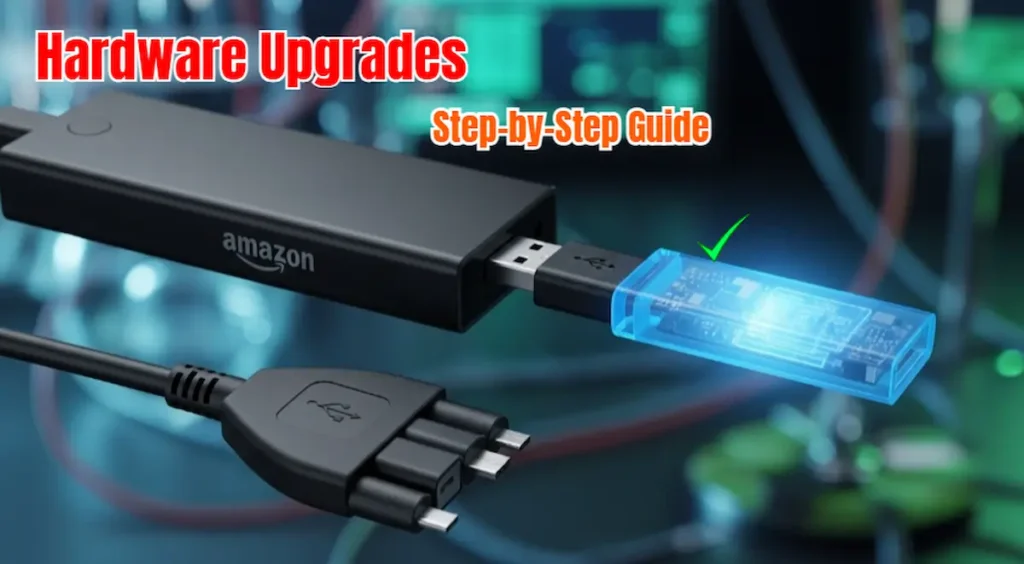
OTG Cable: Use a Micro-USB OTG cable to connect a USB 3.0 Flash Drive. You can move all your heavy apps (like Kodi) to the USB drive, keeping the internal system memory empty.
-
Ethernet Adapter: WiFi is prone to lag. A cheap Ethernet adapter allows you to plug a LAN cable directly into your Firestick. This provides a 100% stable connection that never drops.
-
Cooling Pad: If your Firestick is behind a wall-mounted TV, it gets hot. Heat causes the CPU to “throttle” or slow down. Using a small USB-powered fan can keep the device cool and speed up Firestick 2026 during long 4K movie sessions.
6 Way: The Power Cycle Routine (System Refresh)
We often leave our Firesticks on for weeks without a reboot. This leads to “Memory Leaks,” where apps don’t release RAM after closing. A proper power cycle is the simplest way to speed up Firestick 2026. Simply putting the device to “Sleep” is not enough; you need to clear the system cache from the root level.
How to Properly Refresh Your System:
-
Don’t just use the remote. Once a week, unplug the power adapter from the wall.
-
Wait for at least 60 seconds to allow all capacitors to drain.
-
Plug it back in. This forces the Fire OS to rebuild its system logs and clear any “zombie” processes.
-
Go to Settings > My Fire TV > Restart for a quick daily refresh.
This routine ensures that the CPU starts fresh every time you sit down to watch, which is a vital habit to speed up Firestick 2026.
7 Way: App-Specific Optimization (Kodi and Stremio)
If you use third-party apps, they need their own optimization. Apps like Kodi are “resource-heavy.” If you don’t configure them correctly, they will lag even on a fast internet connection. To speed up Firestick 2026, you must optimize these apps individually.
Kodi and Stremio Speed Hacks:
-
Kodi: Go to Settings > System > Display and set the resolution to 1080p (even if you have a 4K TV). This keeps the menu fast. The movie will still play in 4K once it starts.
-
Stremio: Enable Hardware Accelerated Decoding in the settings. This uses the Firestick’s dedicated video chip instead of the CPU to play the movie.
-
Real-Debrid: If you are still using free links, you are doing it wrong. Real-Debrid provides high-speed private links that never buffer. This is the best “paid” way to speed up Firestick 2026.
8 Way: Managing App Cache (The Daily Cleanup)
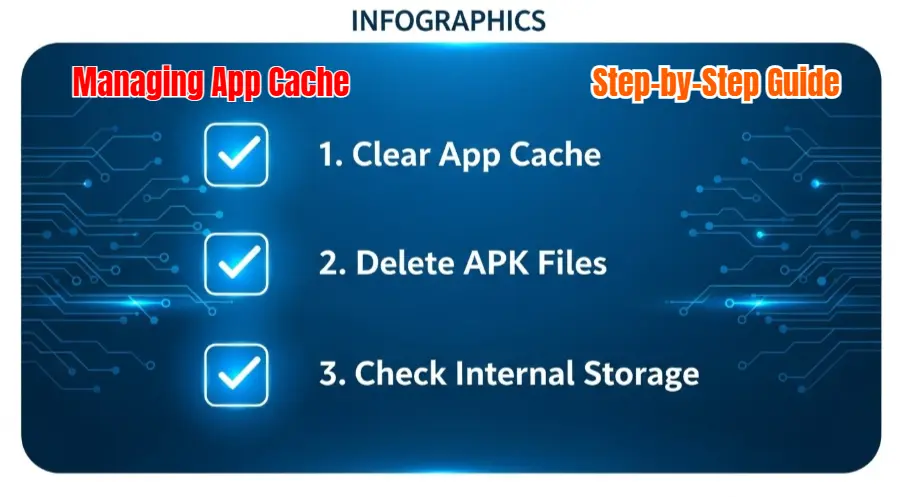
Every time you stream, the app saves “chunks” of data to your device’s memory. Over time, these chunks become thousands of files that the system has to index. This slows down the read/write speed of your storage. A daily cleanup of these temporary files is a great way to speed up Firestick 2026.
The Manual Cleanup Process:
-
Go to Settings > Applications > Manage Installed Applications.
-
Filter by Size.
-
Click on your most-used app (e.g., YouTube) and select Clear Cache. Warning: Do not click Clear Data.
-
Repeat this for the top 5 apps.
-
Check the Downloader app’s internal file manager and delete any old .apk files that are taking up space.
Keeping your “Temporary Files” under 100MB is a pro-tip to speed up Firestick 2026.
9 Way: Updating Firmware (The Official Fix)
Sometimes, Amazon releases a “bug” in one version of Fire OS that slows down the device. They usually fix it in the next update. Many users turn off updates to avoid new UI changes, but this can prevent you from getting critical performance patches. To speed up Firestick 2026, you must ensure your system is on the latest stable build.
How to Check for Official Updates:
-
Go to Settings > My Fire TV > About.
-
Click on Check for Updates.
-
If an update is available, install it and let the device restart.
-
Note: After an update, the device might feel slow for 10 minutes while it re-indexes files. Give it time to settle.
Keeping your system updated is an easy but often overlooked way to speed up Firestick 2026.
10 Way: The Factory Reset (The Nuclear Option)
If you have tried everything and your device is still unusable, it might be time for a fresh start. Over years of use, system files can become corrupted. A Factory Reset wipes everything and installs a fresh, clean copy of Fire OS. This is the ultimate way to speed up Firestick 2026 if all else fails.
How to Factory Reset Safely:
-
Go to Settings > My Fire TV.
-
Select Reset to Factory Defaults.
-
Warning: This will delete all your apps and logins. Make sure you have your passwords ready.
-
Once the reset is done, do not install 20 apps at once. Install only what you need.
A “Clean Slate” is often the only way to speed up Firestick 2026 for older hardware models.
Expert Troubleshooting: Common Firestick Errors
Even after optimizing, you might face specific errors. Here are the direct fixes for 2026:
1. “Home Screen is Currently Unavailable.”
-
Fix: This is usually a sync issue. Go to Settings > My Account > Sync Amazon Content. If that fails, restart your router.
2. “App Not Installed” Error
-
Fix: You likely have an older version of the app already on the device. Uninstall the old one first, then try the new one. This ensures you can speed up Firestick 2026 with the latest app versions.
3. Remote Not Responding
-
Fix: Hold the Home button for 10 seconds to re-pair. If that fails, check for battery corrosion.
4. Screen is Black After Amazon Logo
-
Fix: This is a resolution mismatch. Hold the Up and Rewind buttons for 10 seconds. The Firestick will cycle through resolutions until a picture appears.
Frequently Asked Questions (FAQ)
Q: Can I speed up Firestick 2026 Lite?
▼
Q: Does a VPN slow down my Firestick?
▼
Q: How much free space should I keep?
▼
Q: Is it safe to disable Amazon tracking?
▼
Conclusion: Reclaim Your TV Experience
In conclusion, you don’t need to be a tech genius to speed up Firestick 2026. By taking control of your privacy settings, managing your hardware temperature, and performing regular system maintenance, you can enjoy a buffer-free experience. The Firestick is a powerful device, but it needs a little “tuning” to reach its full potential in 2026.
Follow the steps in this guide, and you will notice an immediate difference in how your device performs. Don’t let a slow interface ruin your movie night. Take action today and speed up Firestick 2026 for good!
Still facing lag?
If you have followed all these steps and your device is still slow, please leave a comment below with your specific Firestick model and the apps you use. I personally review every comment and will help you fix your specific issue!
Legal Disclaimer:
The information provided in this guide to speed up Firestick 2026 is for educational and informational purposes only. TheStickPedia.com does not host, promote, or distribute any illegal streaming applications or copyrighted content. All optimization steps mentioned in this article are official features found within Amazon’s Fire OS settings. We are not responsible for any hardware damage, software glitches, or system errors that may occur on your device. Users follow these instructions at their own risk. We highly recommend using official streaming services and respecting local copyright laws.